Interactive art has always been something that has caught my attention because of the power the user has on the medium. While reading the article I felt like the author just filled it to the brim with lots of information but it was personally pretty difficult to find any big meaning of the text relating…
Category: All Posts
Response to NeMe: Trouble at the Interface 2.0
To start off I would like to say that the paper NeMe: Trouble at the Interface 2.0 by Erkki Huhtamo is highly technical and dry, with a lot of good references and their explanations, but not a lot of iteration on the actual substance of interactive art. I would agree more with the paper if it presented…
Games in Contemporary Art by Daniel Mota
Contemporary artists often try to make their work stand out in ways other pieces usually don’t; for example, interactivity is a pretty common element that artists use to elevate their work. Interactive pieces have the advantage of being more engaging and, therefore, more memorable. Sensory interactivity can be effective especially in art that targets touch,…
Contemporary art and Games – by Kavya
Games have a place in Contemporary art essentially because the use of design and purpose make it an art form in the modern world. The term Contemporary means occurring in the present,which is exactly what games do. In universities due to the growing gaming industry it has become a major so people can study it…

Creative Switch – Luisa Ruiz
DIY Concert Light Stick Step 1 : Materials 2 LEDS ( desired color ) Flash light 2 – 3 volts battery Battery holder Wires Switch Napkin Tape Strap Half plastic sphere Hot Glue Gun Step 2 : Creating the base …

Creative Switch- Lissette Garcia
Materials needed: Two pieces of same sized paper Copper wire or fabric Tape 3 volt battery LEDs You begin the design with sketching out where the balloons will be placed. Have two pieces of paper- one to place the copper wire and another to place on top and complete design. Then measure how long the…
Creative Switch; Easel
Step 1; Image 1; A: Planning, sketching and gathering materials, sketch the shape of the easel back, and cut out a baseboard for the easel out of yardstick paper. B: Tape baseboard down to the easel and fold the flap under neath. (See image 2) C: Make Ground, take construction paper about 5” long and…

Video Games in Contemporary Art: How Does Digital Media Effect My Life by Dustin Drenk
Question 1: What Place is there for Games in Contemporary Art? Contemporary art is so vast today and is both fluid and static. With the use of digital tools such as computers, the internet and software along with the ever evolving mobility of of the use of these tools in any arena of life, almost…

Creative Switch- “winter LED glove”- Juan Rivera Caro
Winter LED GLove Materials: 1 winter glove 2 LED lights (any color) 1 resistor 1 battery enclosure 2 3v button batteries copper cloth copper tape (optional) copper thread 1 wire 1 needle (for sowing) scissors STEP 1: Start of by sowing the copper thread into the glove. One sow pattern should be on the tip…

LED Glove – Cody Colgren, Ivan Martinez
A interactive LED glove by Cody C and Ivan M. Materials needed: Glove (preferably not a fuzzy winter one) 4 LED lights Sheet of copper fabric Super Glue Scissors Tape Two small lithium batteries (3V) Battery encloser Step 1: Make sure the glove is suitable for it being super glued and worked on. It is…

Making Band Practice Easier; A Wearable Count-in Device With a Pressure Switch by Dustin Drenk
A Wearable Song Count-in Device by Dustin Drenk List of Materials for Build One hollow athletic wristband One hollow athletic headband Soldering Iron/Electronics Solder Stable Soldering Clamp Hot Glue Gun Multimeter Two dual 3V Watch Battery Enclosures; 6V Each for a total of 12V Four CR2032 3V Watch Batteries Electrical Tape Two Feet of Insulated…
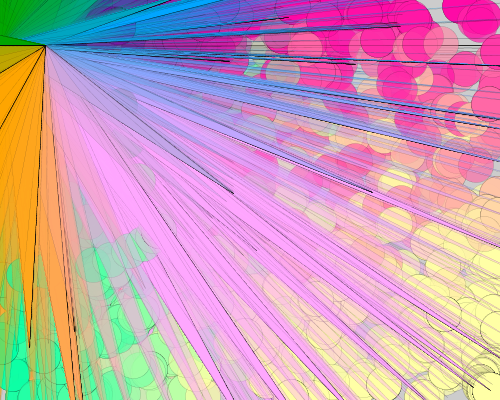
Assignment 1 Cody Colgren
//program made by Cody Colgren void setup() { size(500, 400); strokeWeight(0); stroke(0, 100); smooth(); } void keyPressed() // if the ‘z’ key is pressed the image will reset, if the ‘s’ key is pressed it will take a screenshot { if (key == ‘z’) { background(255,255,255); } if (key == ‘s’) { saveFrame(“drawing-####.png”); } }…