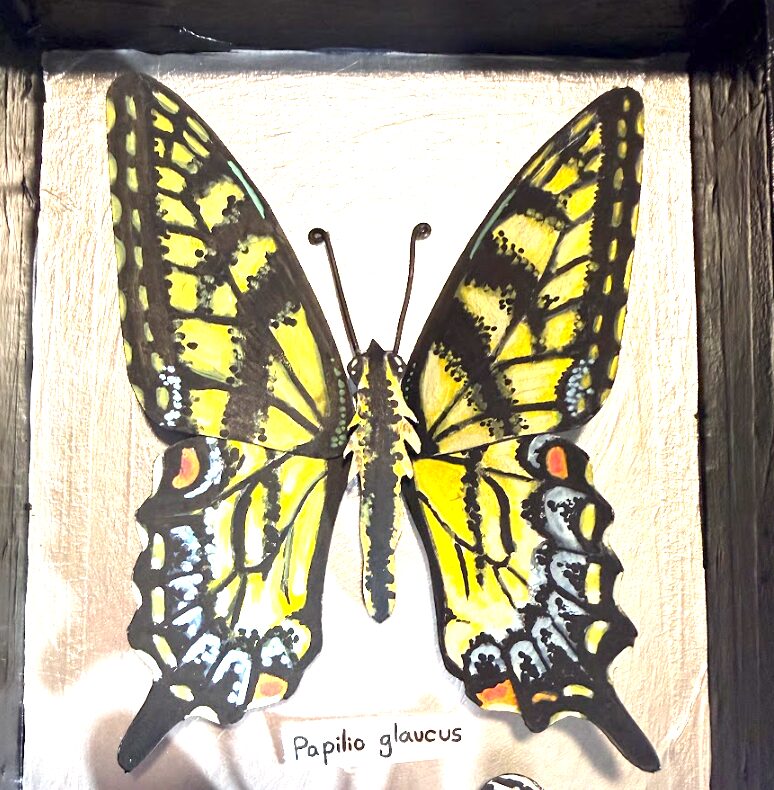
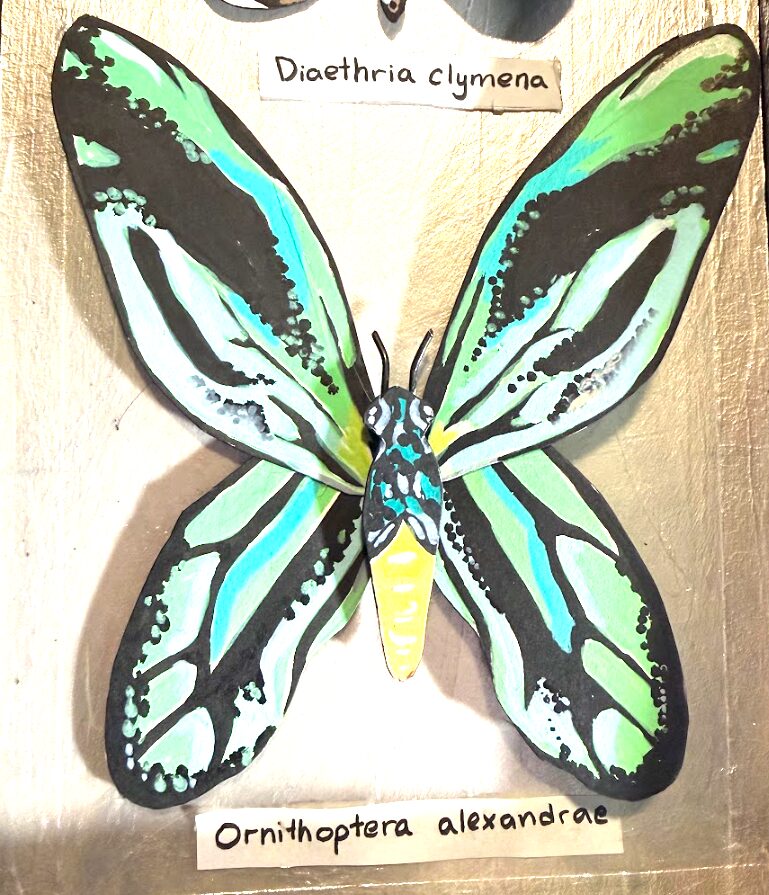
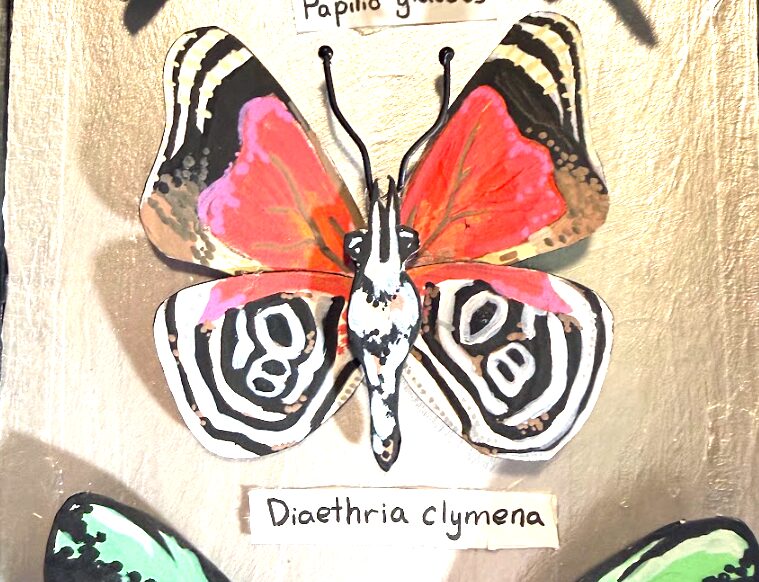
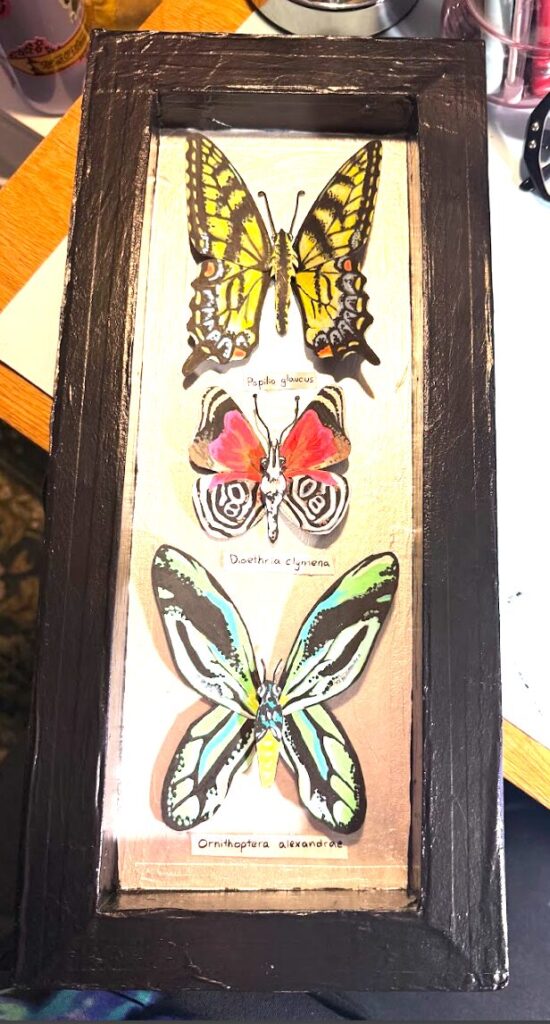
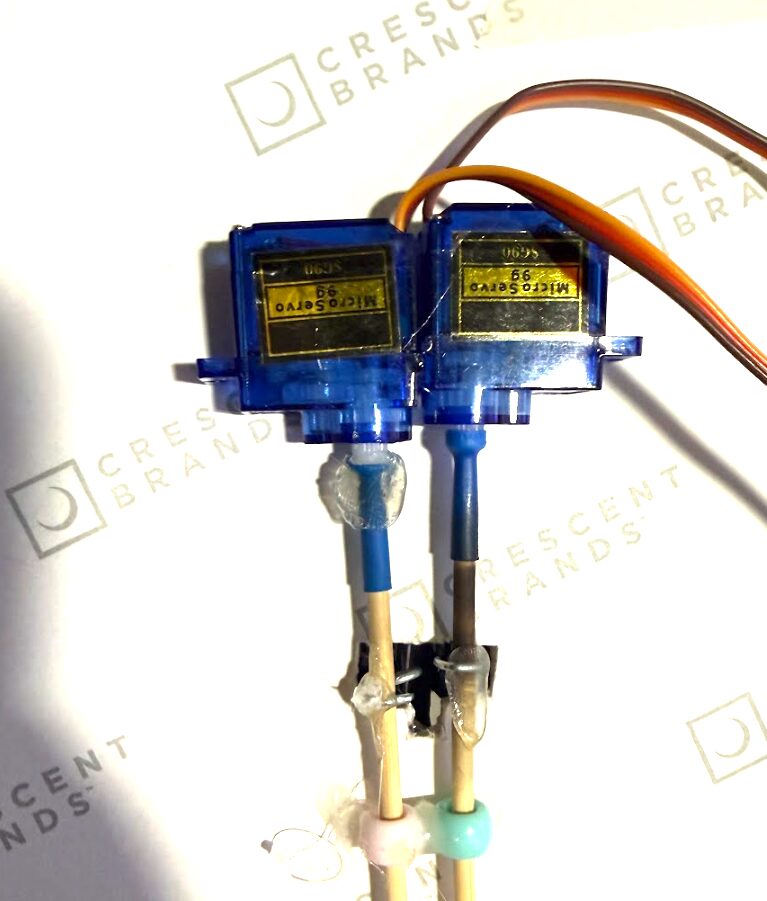
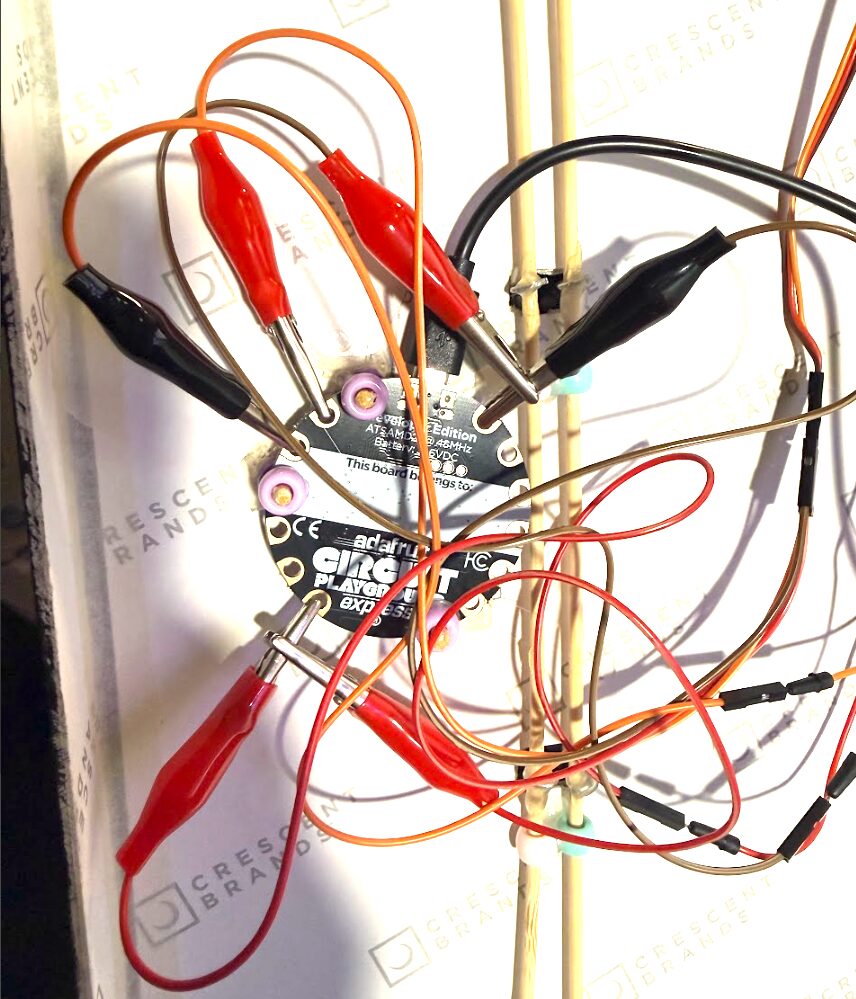
I wanted to make a project that’s purpose was almost to imitate life. I love butterflies and I was very inspired by the preserved butterfly displays in museums. I wanted to make a project that looked like it came alive after you shined light on it. I like the idea of it making people who like bugs excited and people who don’t like bugs scared/disturbed. I used foam board to make the frame, watercolor paper and pain to make the butterflies, and two servo motors to make either the left or right side of all three butterflies wings flap when light is shined on the board the butterflies are attached to the servo motors with an extended stick and wire is then wrapped around and glued. If you use a normal powerful flashlight it should work when you shine it just generally in the middle but if you have a poor quality light the sensor is under the middle butterflies species label.
Materials-
- Foam board
- black and white paint
- pencil
- cutting tool
- paintbrush
- wire
- pliers/wire cutters
- pen
- paint markers
- watercolor paper
- hot glue
- paper textured tape
instructions –
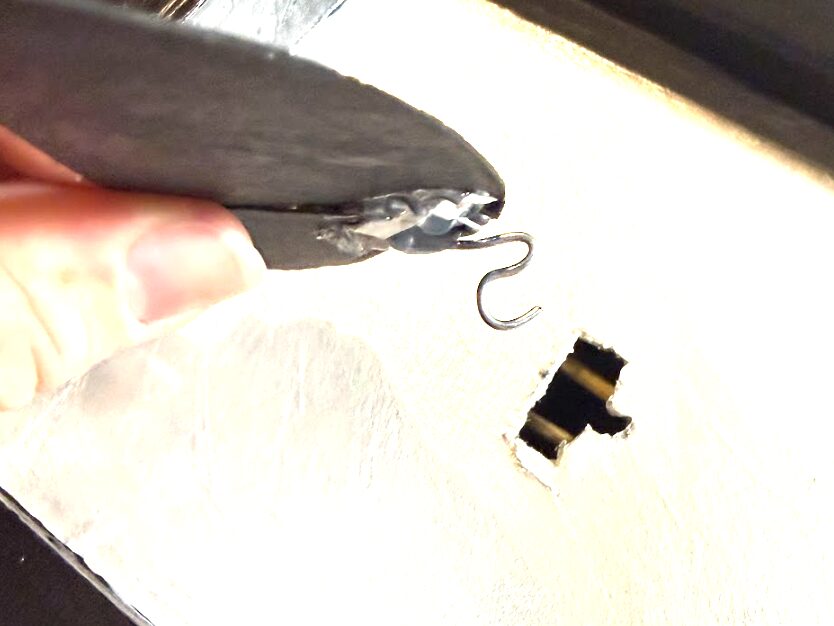
- Measure and cut out foam board to make shadow box and make sure to cut holes in the back for the butterfly wings.
- paint the back white and the frame black
- cut out and paint butterfly wings and bodies
- glue servo motors with extended horns on the backside of the board
- glue wire on the back of the butterfly wings and wrap around each servo rod
- attach the body raised up so the wings can flap under
- cut hole below a butterfly and cover the hole with the species label
- attach Arduino board with light sensor behind the hole
code-
#include <Arduino.h>
#include <Servo.h>
#include <Adafruit_CircuitPlayground.h>
#include <math.h>
int LEFT_SERVO_PIN = A2;
int RIGHT_SERVO_PIN = A3;
Servo leftWing;
Servo rightWing;
// —————- Wing movement settings —————-
int centerAngle = 90; // starts with wings open / flat
// How wide the wings flap at the start:
float startAmplitudeDeg = 65.0; // (10 – 30)=smaller flap //(40 – 80)=larger flap
float amplitudeDeg = startAmplitudeDeg;
// How fast the wings flap at the start (flaps per second)
float startFrequencyHz = 1.5; //(0.5 – 1.0) = slower starting flap, (1.5 – 3.0) = faster starting flap
float flapFrequencyHz = startFrequencyHz;
// The rate at which *the width* of the flap gets smaller. Range about 0.970 – 0.999
float amplitudeDecay = 0.9985; // Lower number = width diminishes sooner
// How quickly *the flap speed* slows down. Range about 0.970 – 0.999.
float frequencyDecay = 0.9999; // Lower number = slows down more quickly
// When speed drops below this number, stop. Good range: 2.0 – 20.0
float minAmplitudeDeg = 8.0;
float phaseCycles = .75; // 0 – 1 = full sine wave cycle (one left-right-left flap)
// How often the servos update (in milliseconds).
int updateEveryMs = 10; // 5 – 10 = smooth, 15 – 25 = less smooth
unsigned long lastFlapUpdateMs = 0;
// How long to rest between flap animations
int flapRestMs = 4000; // 4 sec
// —————- Light sensor setting —————-
// Only restart a new flap cycle if the light sensor is above this level.
int lightThreshold = 200; // 0 – 1023
// ———————————————————
void setup() {
Serial.begin(115200);
CircuitPlayground.begin();
// Servos start centered, then immediately detach
leftWing.attach(LEFT_SERVO_PIN);
rightWing.attach(RIGHT_SERVO_PIN);
leftWing.write(centerAngle);
rightWing.write(centerAngle);
leftWing.detach();
rightWing.detach();
lastFlapUpdateMs = millis();
}
// ———————————————————
void loop() {
// ——— ALWAYS CHECK LIGHT FIRST ———
int lightLevel = CircuitPlayground.lightSensor();
Serial.print(“Light level: “);
Serial.println(lightLevel);
if (lightLevel < lightThreshold) {
// Too dark → stay still + save battery
leftWing.detach();
rightWing.detach();
return;
}
// If bright enough → run a FULL flap cycle
// (Routine will NOT be interrupted by light checks)
leftWing.attach(LEFT_SERVO_PIN);
rightWing.attach(RIGHT_SERVO_PIN);
leftWing.write(centerAngle);
rightWing.write(centerAngle);
// Reset cycle variables
amplitudeDeg = startAmplitudeDeg;
flapFrequencyHz = startFrequencyHz;
phaseCycles = 0.75;
lastFlapUpdateMs = millis();
// ——— Flap Routine ———
while (true) {
unsigned long now = millis();
if (now – lastFlapUpdateMs >= (unsigned long)updateEveryMs) {
float dt = (now – lastFlapUpdateMs) / 1000.0f;
lastFlapUpdateMs = now;
float sinePos = sinf(2.0f * M_PI * phaseCycles);
float easeFactor = 0.35f + 0.65f * fabsf(sinePos);
// flapAmount: 0 = wings flat, 1 = wings fully lifted
float flapAmount = (sinePos + 1.0f) * 0.5f;
// Opposite movement
int leftAngle = centerAngle + (int)roundf(flapAmount * amplitudeDeg);
int rightAngle = centerAngle – (int)roundf(flapAmount * amplitudeDeg);
leftAngle = constrain(leftAngle, centerAngle, 160); // movement limits
rightAngle = constrain(rightAngle, 20, centerAngle); // movement limits
leftWing.write(leftAngle);
rightWing.write(rightAngle);
// advance the sine wave
phaseCycles += flapFrequencyHz * dt * easeFactor;
if (phaseCycles >= 1.0f) {
phaseCycles -= floorf(phaseCycles);
}
// slowly shrink flap motion and speed
amplitudeDeg *= amplitudeDecay;
flapFrequencyHz *= frequencyDecay;
// ——— End routine ———
if (amplitudeDeg < minAmplitudeDeg) {
break; // exit the flap loop when flap too small
}
}
}
// ——— reset wings ———
leftWing.write(centerAngle);
rightWing.write(centerAngle);
leftWing.detach(); // save the motors
rightWing.detach();
delay(flapRestMs);
}
photos-
video- I apologize ahead of time somehow I moved to college without a flashlight so I had to use the flash on my phone.