Materials List:
Canves
4 Conductive Thread
little Plastic zip ties
small wood stick
Adafruit circuit playground express
battery holder
My project is an interactive canvas that uses conductive thread as touch-activated sensors to play music. Each of the four threads represents a different melody: three Bollywood songs and one Christmas song, “Jingle Bells.” When the viewer touches any thread, the Circuit Playground detects the gesture through capacitive sensing and instantly starts the corresponding melody. The gesture of touch becomes the central interaction allowing the user to switch between songs at any moment simply by touching another thread. This creates an engaging, playful experience where sound and art respond directly to human gesture, turning the canvas into both a visual and musical instrument.
my code
#include <Adafruit_CircuitPlayground.h>
int baseline = 0;
// —– MELODIES —–
int melodySaiyaara[] = {
311,311,311,277,311,277,247,277,277,277,277,277,277,311,277,247,247,247,247,247,247,233,
233,208,932,932,932,233,247,277,311,311,311,311,740,330,311,277,277,277,277,311,277,247,
247,247,233,233,208,932,932,277,247,932,208,208,247,932,277,247,247,233,247,233,277,247,
247,233,740,330,330,330,330,277,277,311,277,311,932,932,247,247,233,233,247,247,233,277,
247,247,233,740,247,233,277,247,247,233,740,330,330,330,330,277,277,311,277,311,932,932,
932,247,277,740,311,277,740,311,277,831,740,330,311,277,247,330,311,277,247,233,247,277,
247,277,311,311,311,277,311,277,247,277,277,277,277,311,277,247,247,247,233,233,831,932,
932,932,233,247,277,311,311,311,311,740,330,311,277,277,277,277,311,277,247,247,247,247,
233,233,208,932,932,277,247,932,831,831
};
int melodyTumHoToh[] = {
988,988,988,988,988,1109,1245,988,1319,1245,988,831,740,740,831,988,1109,1245,1109,1109,
988,831,1245,1109,1109,1109,988,831,1245,1109,1109,1109,988,831,1109,740,740,831,988,1109,
1245,1109,1109,1109,988,831,1245,1109,1109,1109,1480,1245,1245,831,1480,1319,1245,1109,1109,
740,740,988,831,988,831,740,740,740,740,740,988,831,988,831,740,740,740,740,740,988,831,988,
831,1245,1109,988,831,740,740,988,831,988,831,740,740,740,740,740,988,831,988,831,740,740,740,
740,740,988,831,988,831,1245,1109,988,831,740,740,988,831,988,831,740,740,740
};
int melodyJingleBells[] = {
659,659,659,659,784,523,587,659,698,698,698,698,698,659,659,659,659,587,587,659,587,784,
659,659,659,659,784,523,587,659,698,698,698,698,698,659,659,659,659,587,587,659,587,784,
784,784,698,587,523
};
int melodyNadaaniyan[] = {
277,330,370,370,415,440,554,370,415,440,554,494,494,494,494,494,
440,494,554,440,415,370,370,415,440,554,370,415,440,554,494,494,
494,494,440,415,370,370,330,370,440,415,370,330,370,294,277,370,
330,370,440,415,370,370,330,370,294,277
};
// ——– LENGTHS ——–
const int lengthSaiyaara = sizeof(melodySaiyaara)/sizeof(int);
const int lengthTumHoToh = sizeof(melodyTumHoToh)/sizeof(int);
const int lengthJingleBells = sizeof(melodyJingleBells)/sizeof(int);
const int lengthNadaaniyan = sizeof(melodyNadaaniyan)/sizeof(int);
int melodyJingleBellsDur[200];
int *currentMelody = nullptr;
int currentNote = 0;
int noteDuration = 200;
int restDuration = 50;
unsigned long lastNoteTime = 0;
// —– SETUP —–
void setup() {
Serial.begin(9600);
CircuitPlayground.begin();
CircuitPlayground.clearPixels();
CircuitPlayground.setBrightness(50);
for (int i = 0; i < lengthJingleBells; i++) {
melodyJingleBellsDur[i] = 200;
}
Serial.println(“Calibrating baseline… DO NOT TOUCH A6.”);
long total = 0;
for (int i = 0; i < 30; i++) {
total += CircuitPlayground.readCap(A6);
delay(20);
}
baseline = total / 30;
Serial.print(“Baseline = “);
Serial.println(baseline);
Serial.println(“Touch A6, A1, A4, or A3 to play a melody.”);
}
// —– PARTY BLINK —–
void partyBlink() {
static bool on = false;
on = !on;
for (int i = 0; i < 10; i++) {
if (on) {
uint32_t color = CircuitPlayground.colorWheel(random(0,255));
CircuitPlayground.strip.setPixelColor(i, color);
} else {
CircuitPlayground.strip.setPixelColor(i, 0, 0, 0);
}
}
CircuitPlayground.strip.show();
}
// ———- MAIN LOOP ———-
void loop() {
static bool playing = false;
int capA6 = CircuitPlayground.readCap(A6);
int capA1 = CircuitPlayground.readCap(A1);
int capA4 = CircuitPlayground.readCap(A4);
int capA3 = CircuitPlayground.readCap(A3);
int thresholdA6 = baseline + 200; // A6 pad is large
int thresholdA1 = baseline + 50; // string / thread sensors
int thresholdA4 = baseline + 50;
int thresholdA3 = baseline + 50;
static bool lastA6 = false;
static bool lastA1 = false;
static bool lastA4 = false;
static bool lastA3 = false;
// —- TOUCH Strings —-
if (capA6 > thresholdA6 && !lastA6) {
currentMelody = melodySaiyaara;
currentNote = 0;
noteDuration = 150;
restDuration = 50;
lastNoteTime = 0;
playing = true;
Serial.println(“A6 TOUCHED! Playing Saiyaara…”);
}
lastA6 = capA6 > thresholdA6;
if (capA1 > thresholdA1 && !lastA1) {
currentMelody = melodyTumHoToh;
currentNote = 0;
noteDuration = 150;
restDuration = 50;
lastNoteTime = 0;
playing = true;
Serial.println(“A1 TOUCHED! Playing Tum Ho Toh…”);
}
lastA1 = capA1 > thresholdA1;
if (capA4 > thresholdA4 && !lastA4) {
currentMelody = melodyJingleBells;
currentNote = 0;
noteDuration = 250;
restDuration = 50;
lastNoteTime = 0;
playing = true;
Serial.println(“A4 TOUCHED! Playing Jingle Bells…”);
}
lastA4 = capA4 > thresholdA4;
if (capA3 > thresholdA3 && !lastA3) {
currentMelody = melodyNadaaniyan;
currentNote = 0;
noteDuration = 150;
restDuration = 50;
lastNoteTime = 0;
playing = true;
Serial.println(“A3 TOUCHED! Playing Nadaaniyan…”);
}
lastA3 = capA3 > thresholdA3;
// ———- NON-BLOCKING MELODY PLAYER ———-
if (playing && currentMelody != nullptr) {
unsigned long now = millis();
int freq = currentMelody[currentNote];
int duration = noteDuration;
if (currentMelody == melodyJingleBells) {
duration = melodyJingleBellsDur[currentNote];
}
int restTime = restDuration;
if (freq >= 1000) restTime += 50;
if (now – lastNoteTime >= (duration + restTime)) {
if (freq > 0) {
CircuitPlayground.playTone(freq, duration);
}
partyBlink();
lastNoteTime = now;
currentNote++;
if ((currentMelody == melodySaiyaara && currentNote >= lengthSaiyaara) ||
(currentMelody == melodyTumHoToh && currentNote >= lengthTumHoToh) ||
(currentMelody == melodyJingleBells && currentNote >= lengthJingleBells) ||
(currentMelody == melodyNadaaniyan && currentNote >= lengthNadaaniyan)) {
currentMelody = nullptr;
playing = false;
CircuitPlayground.clearPixels();
Serial.println(“Melody Done!”);
}
}
}
}
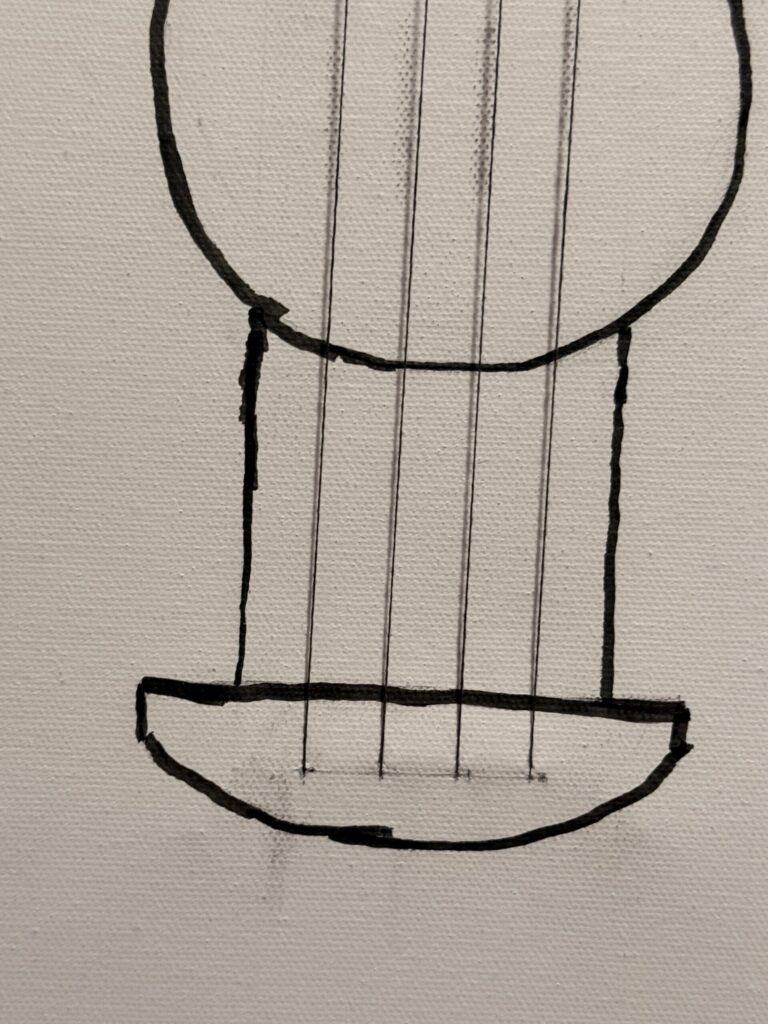
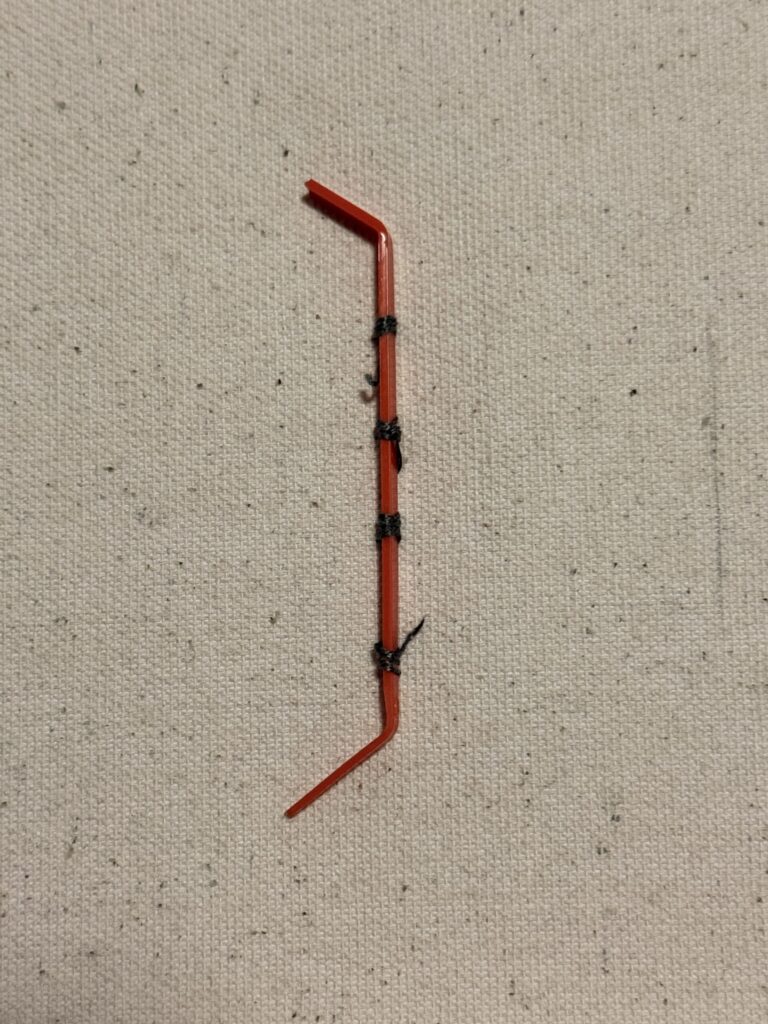
I created a guitar design on a canvas and attached four conductive thread strings to it. In the first picture, you can see how the strings are secured on the front of the canvas. The second picture shows the back, where I made small holes using a safety pin and used small pieces of plastic zip ties to hold the strings tightly in place.
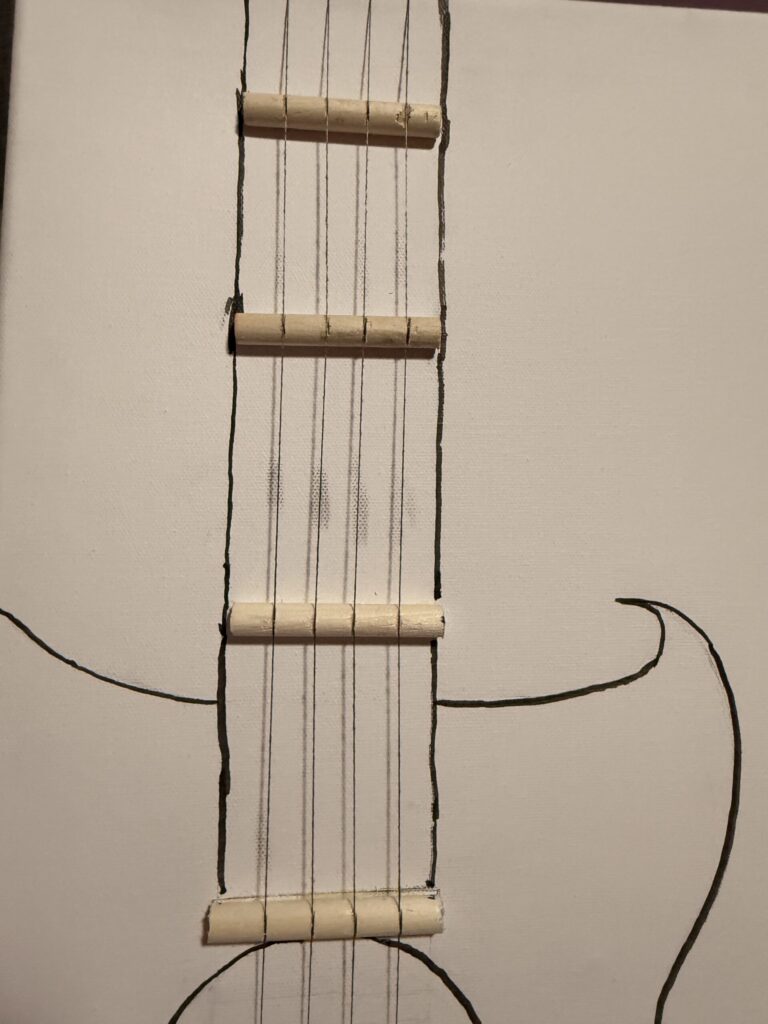
This picture shows how the strings are arranged, and it also shows the four small wooden sticks I used to create the guitar’s shape and help hold the strings in place.
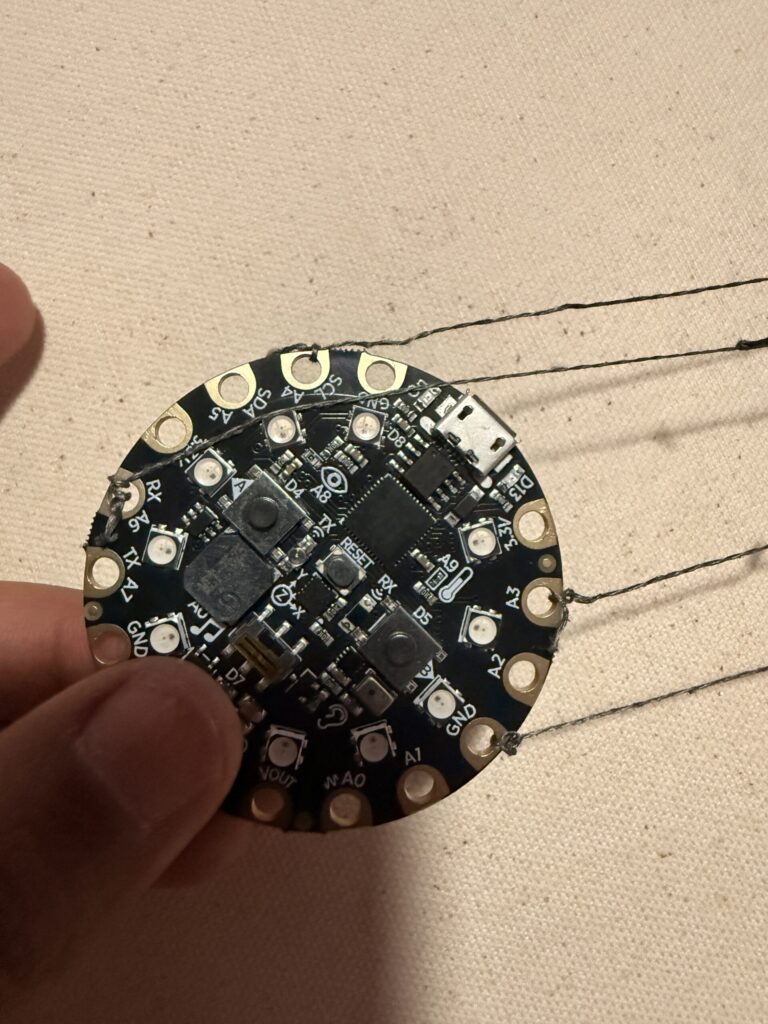
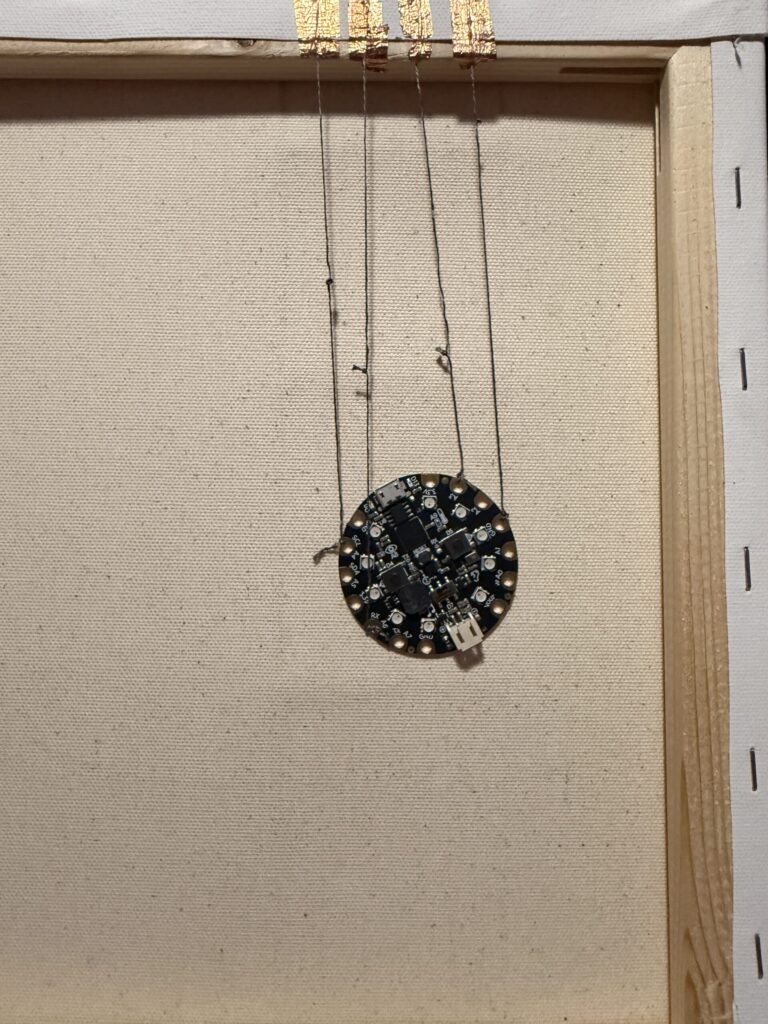
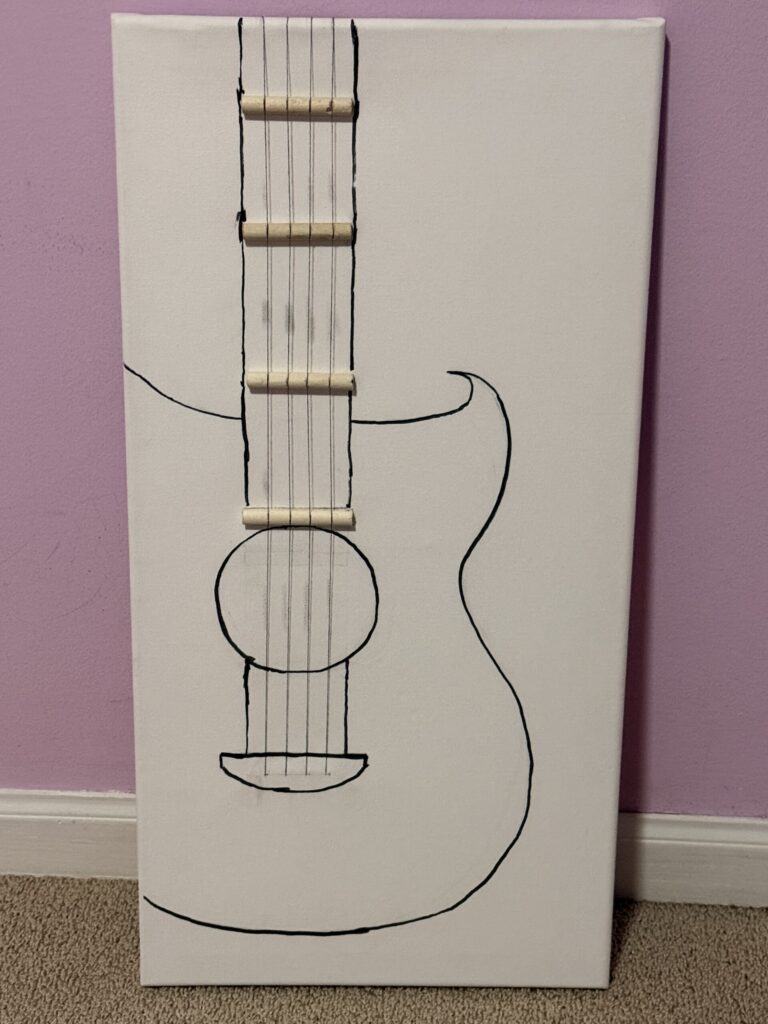
The first picture shows how I attached the strings using the A6, A4, A3, and A1 pins, where each string is tied securely. The second picture shows what the back of the canvas looks like after everything is connected. the thirds pic id the final look I still have to color it.
This video demonstrates how the melodies start playing when I touch each conductive thread string. Each string is assigned to a different song this YouTube link :
A1 plays “Tum Ho Toh” — https://youtu.be/NemAXv6tT40?si=54kps_E9Q3v-EY-_
A3 plays “Nadaaniyan” — https://youtu.be/nBuxE-P80n0?si=WKXt0q16j_rPVBAl
A6 plays “Saiyaara” — https://youtu.be/MMt3K_YrSrg?si=GTU7y3OUgev32evi
A4 plays “Jingle Bells” — https://youtu.be/ROqgdTRa0bE?si=RUNvnlzWF0ag0mWc
When I turn off the lights, the party LED lights become visible and add a fun visual effect to the project.