PROTOTYPE FOR FINAL PROJECT
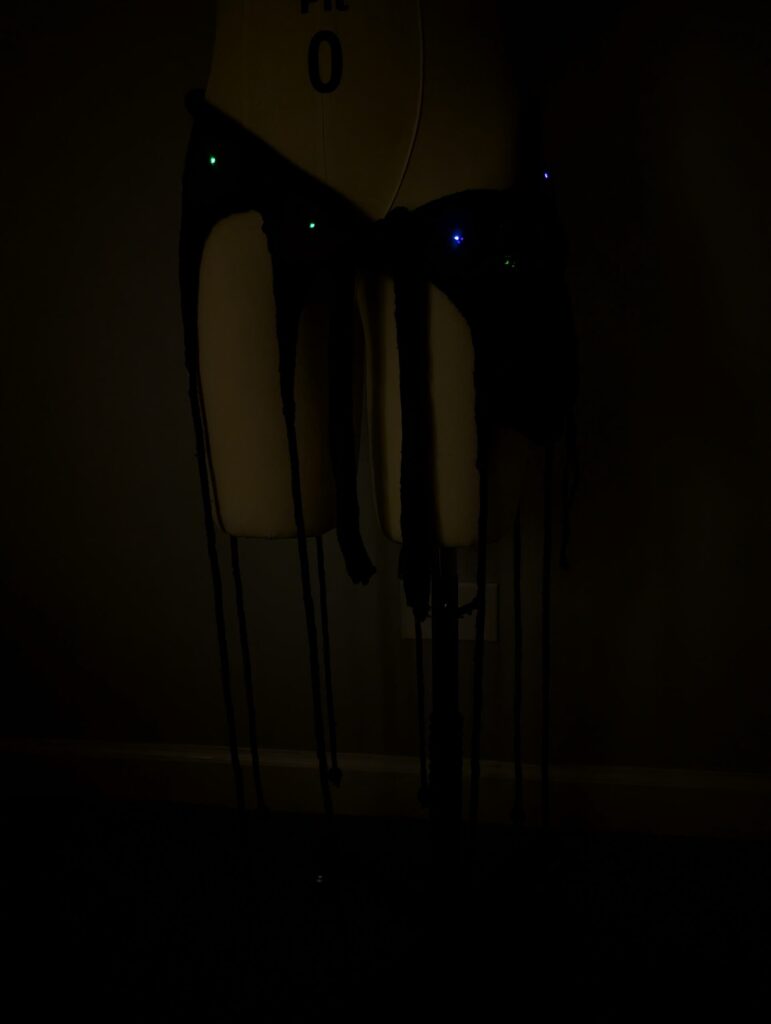
For my interactive project, I created a knit skirt inspired by bioluminescent deep-sea creatures. The idea is to program a Lilypad Arduino to control the colors of a series of eight Neopixels. These Neopixels are sewn evenly around the waist of the skirt. Through movement inputs measured with the built-in accelerometer on the Arduino, the lights change color accordingly. The Arduino and battery are held in a free hanging bag to allow the largest range of movement while being worn. This bag is attached through three separate conductive snaps. These snaps create the connection between the Arduino and the Neopixels.
Materials
- Brown cotton yarn
- Brown cotton fabric
- Fusible interfacing (to stiffen fabric)
- Embroidery thread
- Wooden beads
- Lilypad arduino
- Sew-able Neopixels
- Battery pack (6V)
- Conductive thread
- Knitting needles (circular and double-pointed)
- Sewing needles
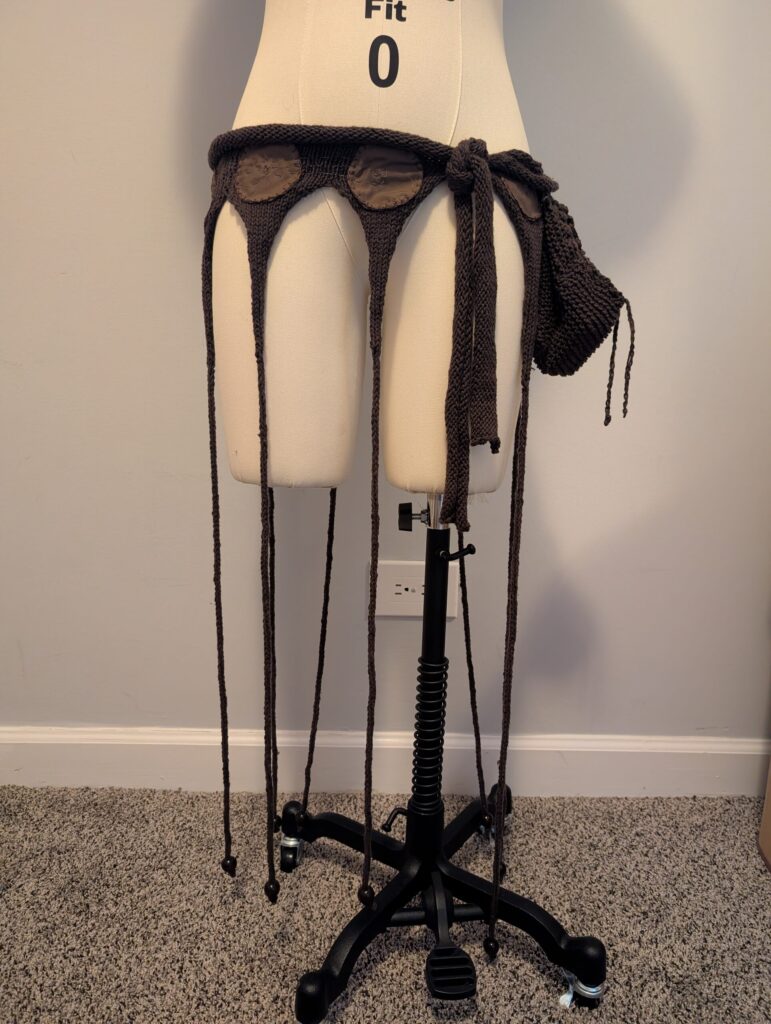
I started with the base of the skirt. I hand-knit it on both 5mm circular and double-pointed needles before sewing on the circles and adding the beads on the ends. I then knit a small drawstring bag to hold the Arduino and battery pack.
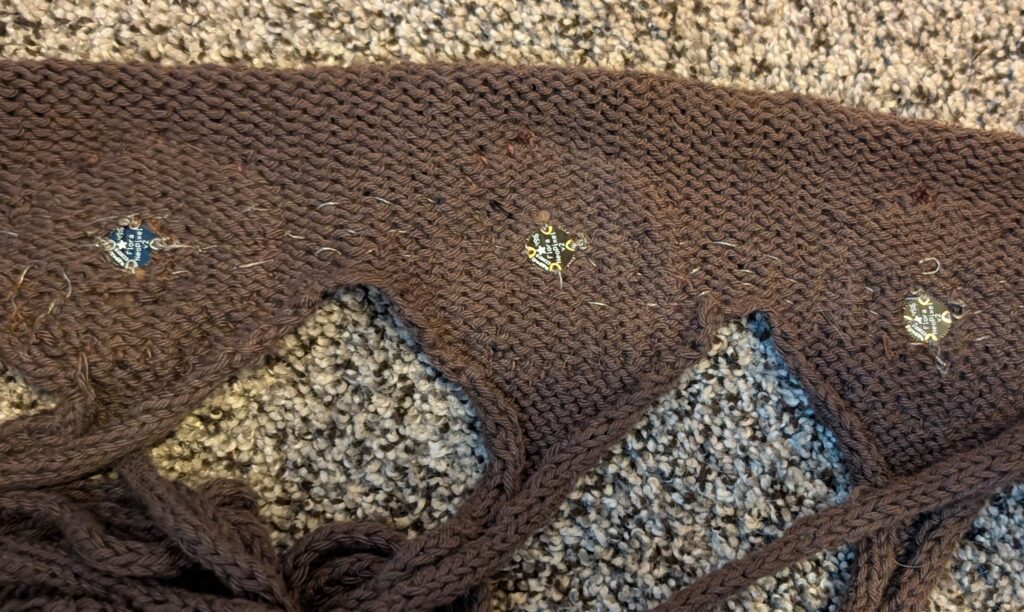
Next, I stitched on the Neopixels. I made sure that each was facing in the right direction. Each was stitched behind the fabric circles in order to diffuse a bit of the light.
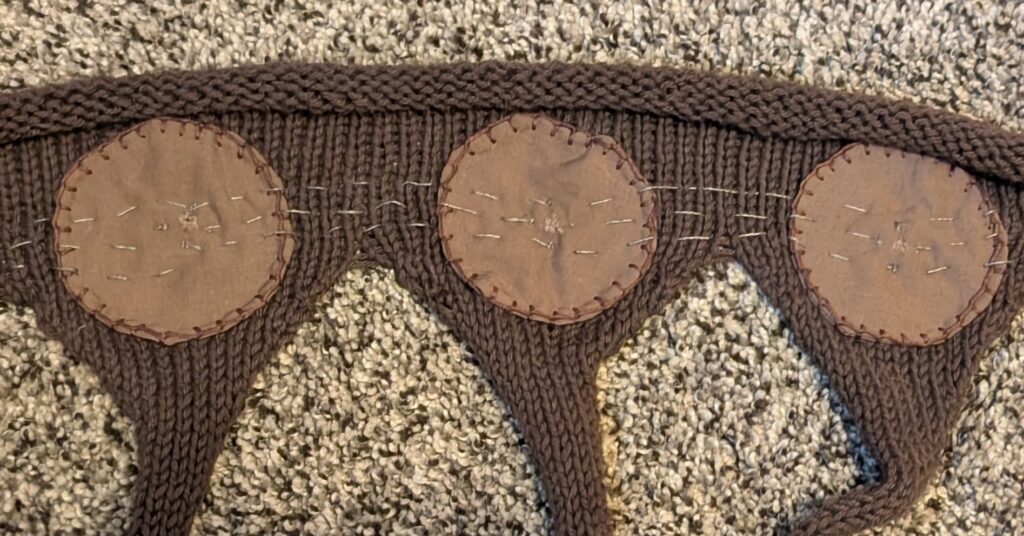
I used a seam ripper to cut small holes in each of the circles to let a little more light through. They were a bit dull before 🙁
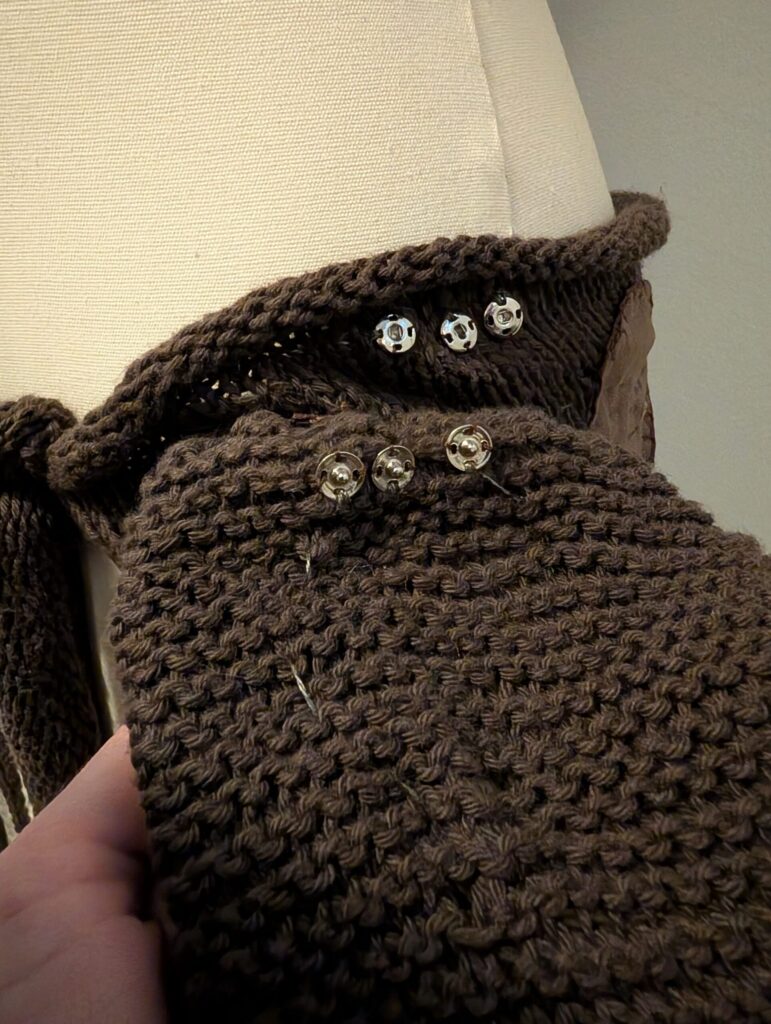
I stitched three conductive snaps on to the back of the drawstring bag that will attach to the body of the skirt. These snaps are connected to the Neopixels through a bit of extra stitching.
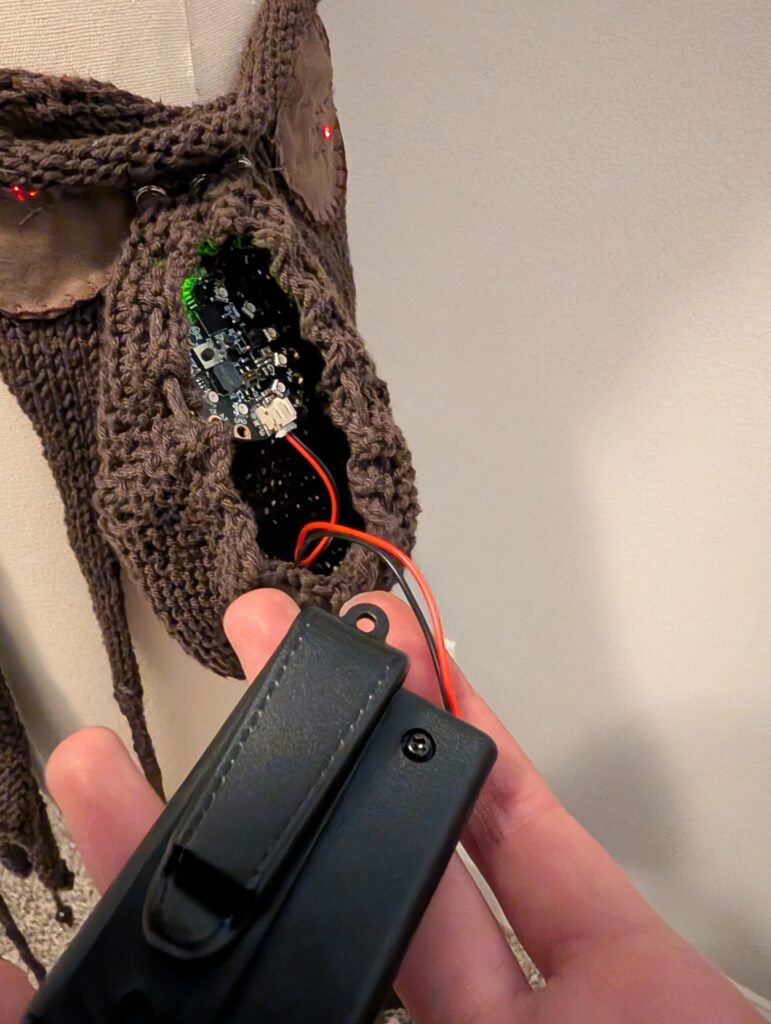
I sewed in the Arduino, making sure to connect data, power, and ground to the corresponding snaps.
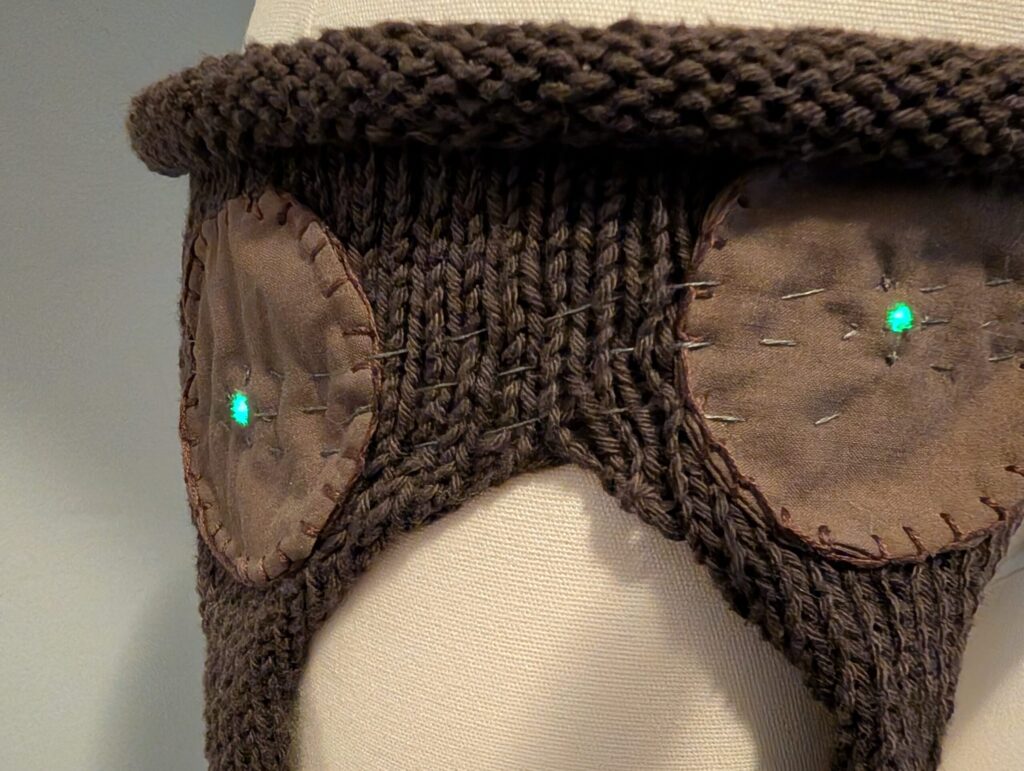
Now, each of the Neopixels light up!
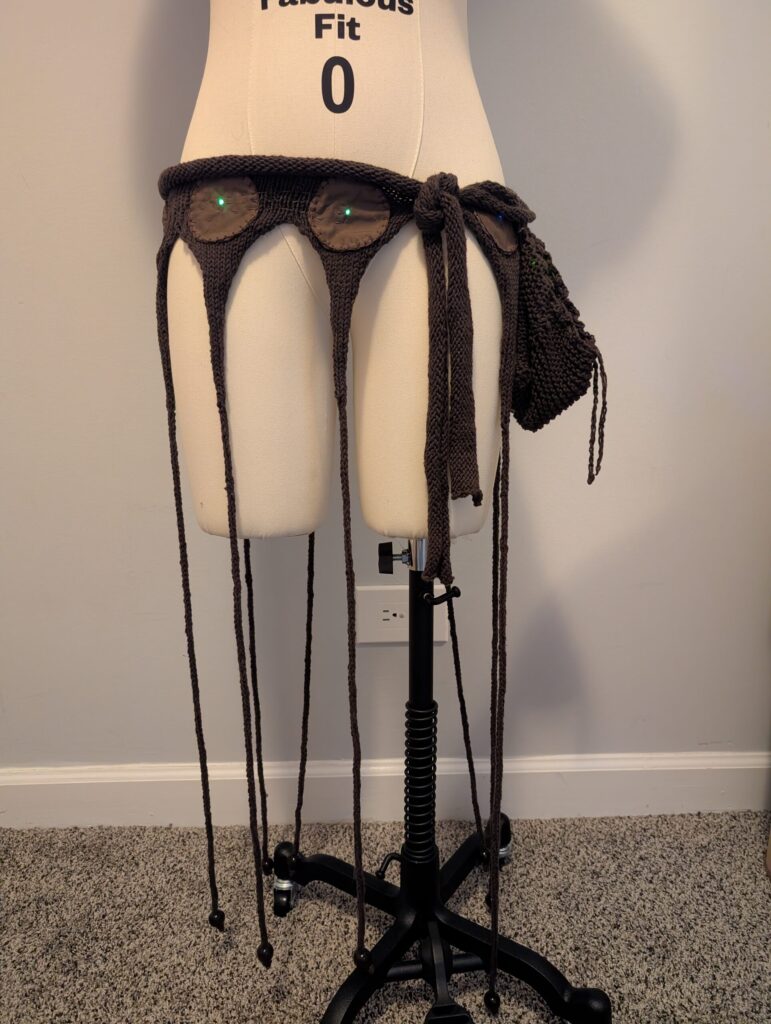
All finished! Now it’s just time to turn off the lights!
Code
#include <Adafruit_CircuitPlayground.h>
// Pin and pixel count for the lights
#define LED_PIN A3
#define LED_COUNT 8
int output_level; // a variable to hold the sensor output data
int numPixels = 10; // a variable to hold the # of LEDs (10)
int brightness = 255; // start brightness output
float X, Y, Z;
// 8-bit gamma-correction table.
#define _GAMMA_ 2.6
const int _GBASE_ = __COUNTER__ + 1; // Index of 1st __COUNTER__ ref below
#define _G1_ pow((__COUNTER__ – _GBASE_) / 255.0, _GAMMA_) * 255.0 + 0.5,
#define _G2_ _G1_ _G1_ _G1_ _G1_ _G1_ _G1_ _G1_ _G1_ // Expands to 8 items
#define _G3_ _G2_ _G2_ _G2_ _G2_ _G2_ _G2_ _G2_ _G2_ // Expands to 64 items
const uint8_t PROGMEM gammaTable[] = { _G3_ _G3_ _G3_ _G3_ }; // 256 items
uint8_t frame = 0; // Frame count, results displayed every 256 frames
// Declare NeoPixel strip object
Adafruit_CPlay_NeoPixel strip(LED_COUNT, LED_PIN, NEO_GRB + NEO_KHZ800);
void setup() {
CircuitPlayground.begin();
Serial.begin(9600);
strip.begin();
strip.show();
strip.setBrightness(255);
CircuitPlayground.setBrightness(255);
}
void loop() {
X = CircuitPlayground.motionX();
Y = CircuitPlayground.motionY();
Z = CircuitPlayground.motionZ();
Serial.print(“X: “);
Serial.println(X);
Serial.print(“Y: “);
Serial.println(Y);
Serial.print(“Z: “);
Serial.println(Z);
Serial.println(“——“);
delay(150);
// put your main code here, to run repeatedly:
CircuitPlayground.clearPixels(); // clear pixels to start
strip.clear(); // clear external strip too
output_level = map(X, -10, 5, 0, 255); //brightness output
output_level = map(Y, -10, 20, 0, 255); //brightness output
output_level = map(Z, -10, 5, 0, 255); //brightness output
brightness = map(output_level, 50, 255, 255, 255); //brightness output
int wheelPos = map(output_level, 0, 255, 0, 255); //color on the wheel
//constrain(numPixels, 0,9);
//numPixels = abs(numPixels); //absolute (no negative value numbers in print)
constrain(brightness,0,255);
int color = CircuitPlayground.colorWheel(wheelPos);//set the color on the wheel
for (int i = 0; i <= output_level; i++) {
strip.setPixelColor(i,color); // white
}
for(uint8_t i=0; i<10; i++) {
strip.setPixelColor(i, color);
}
strip.show();
}