Mood/Emotion Detector Necklace
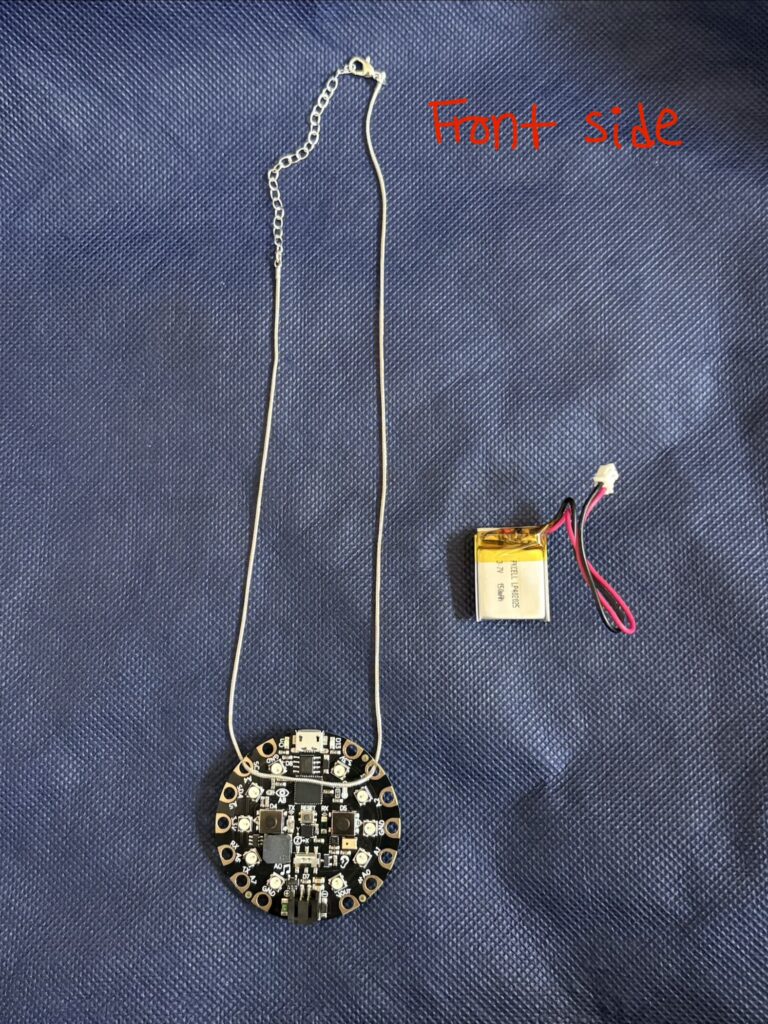
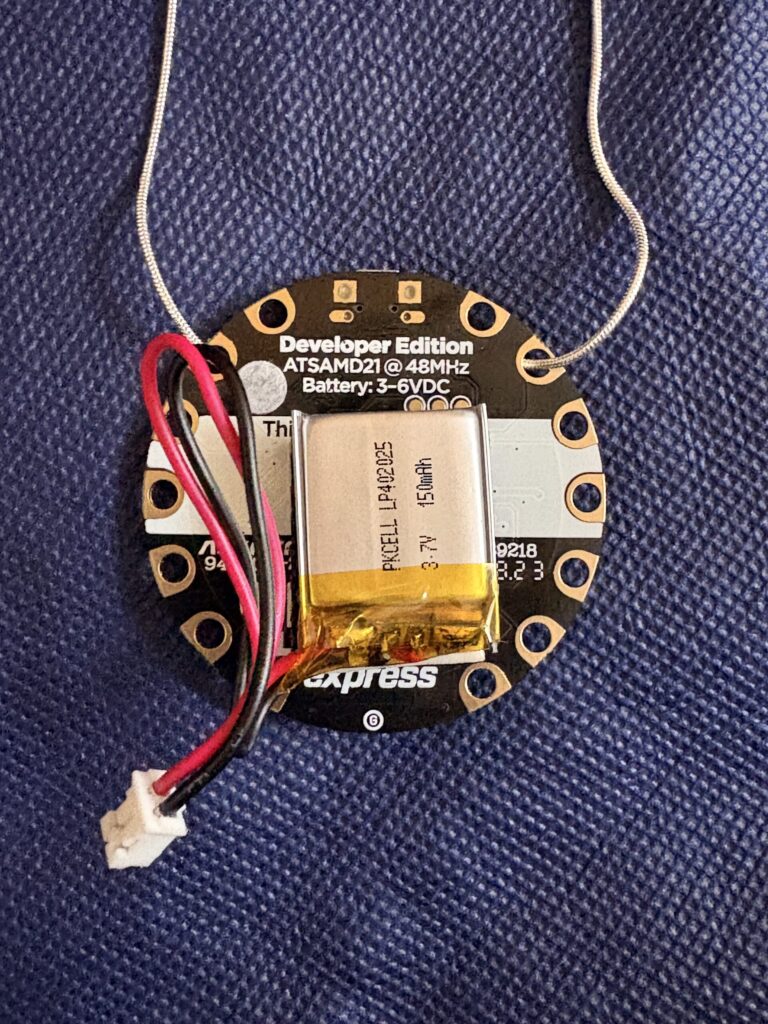
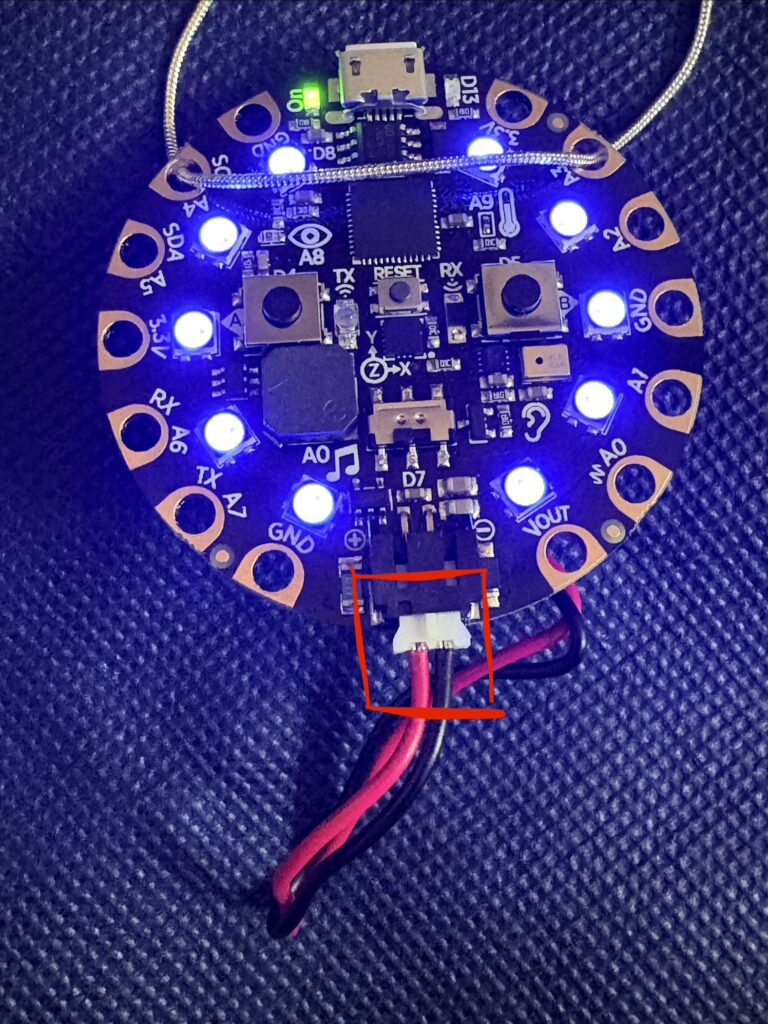
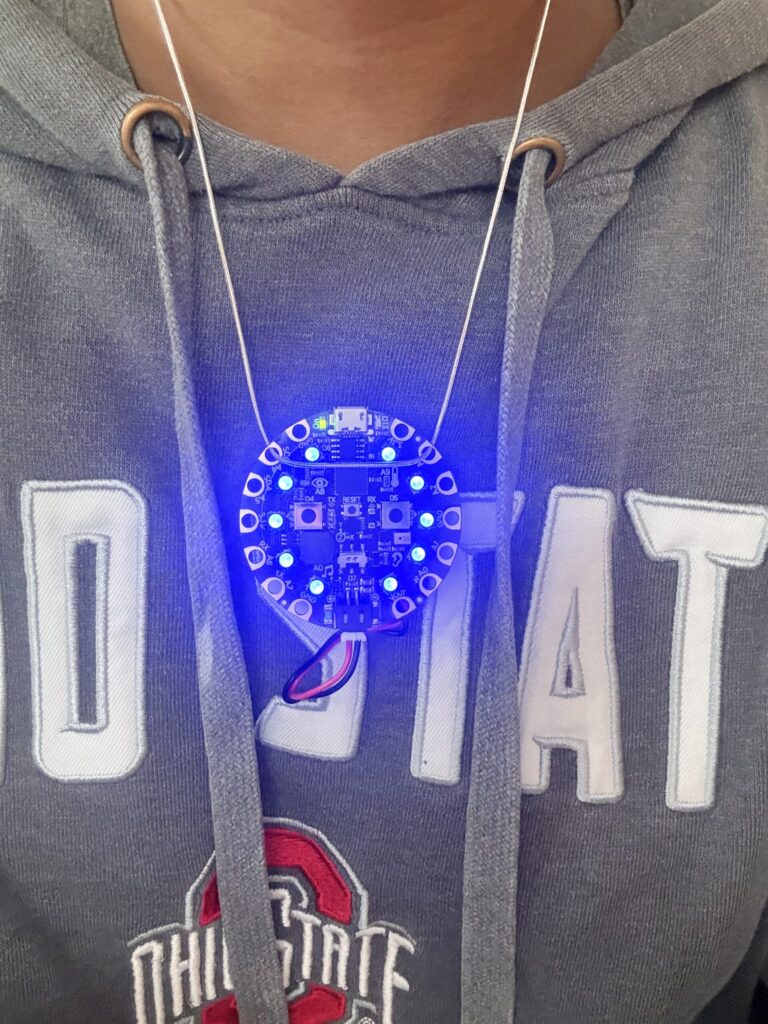
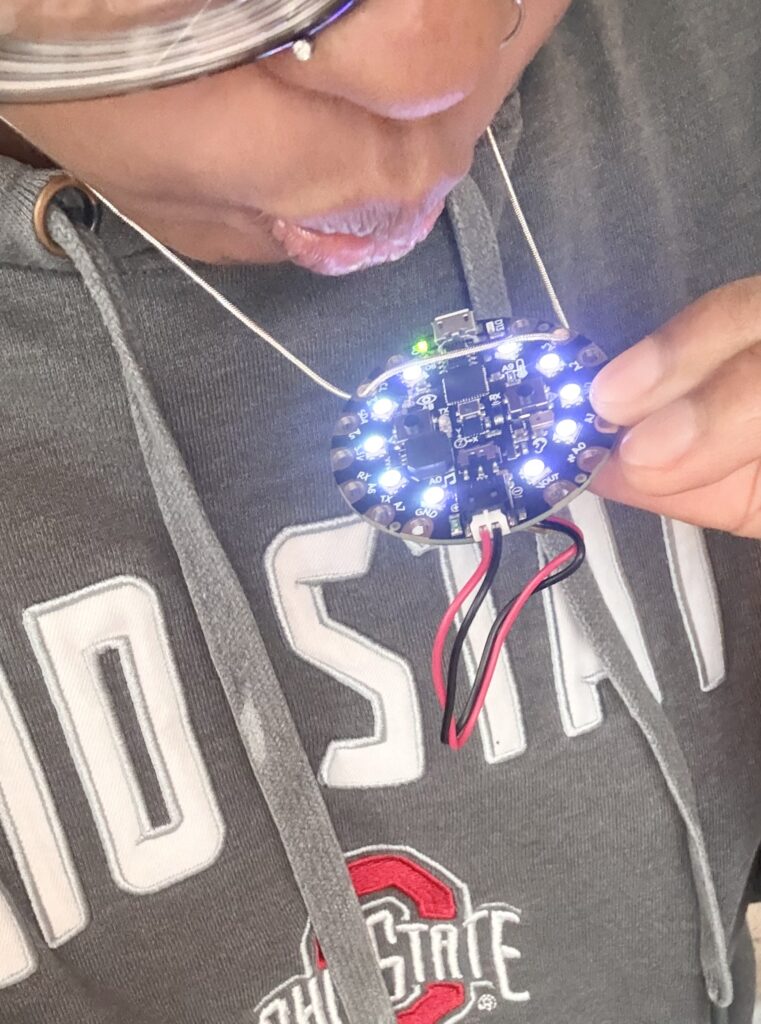
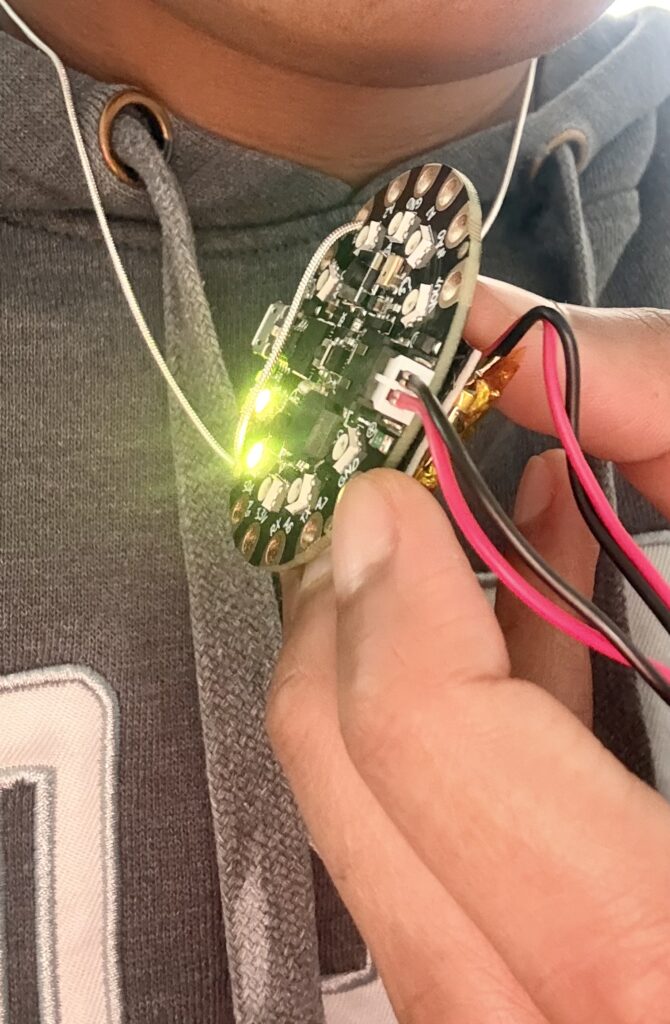
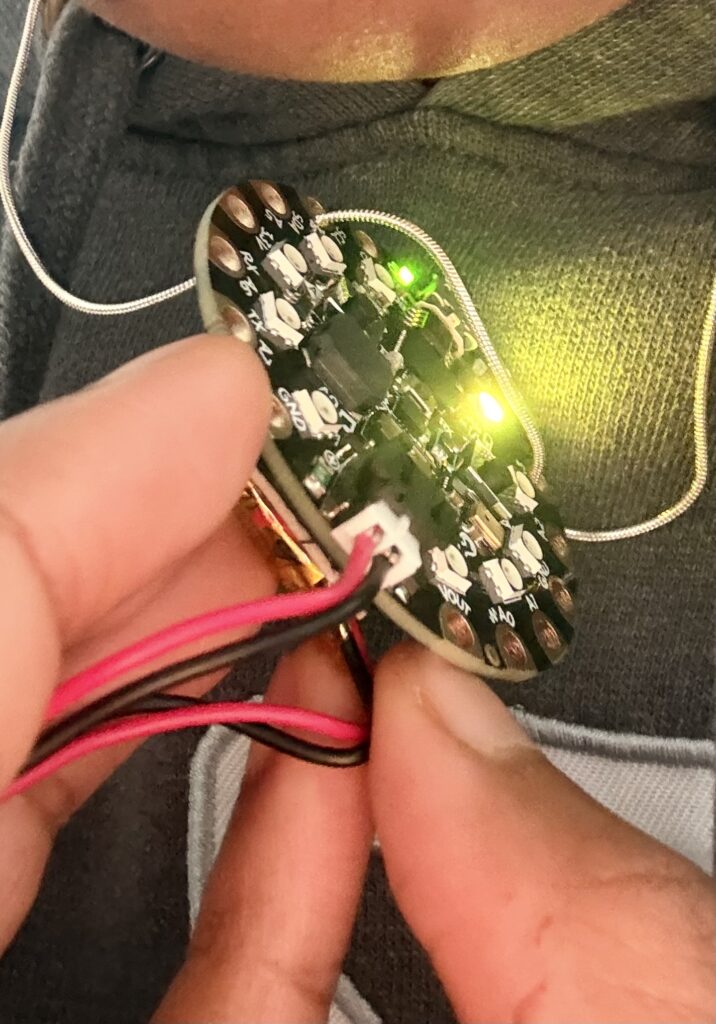
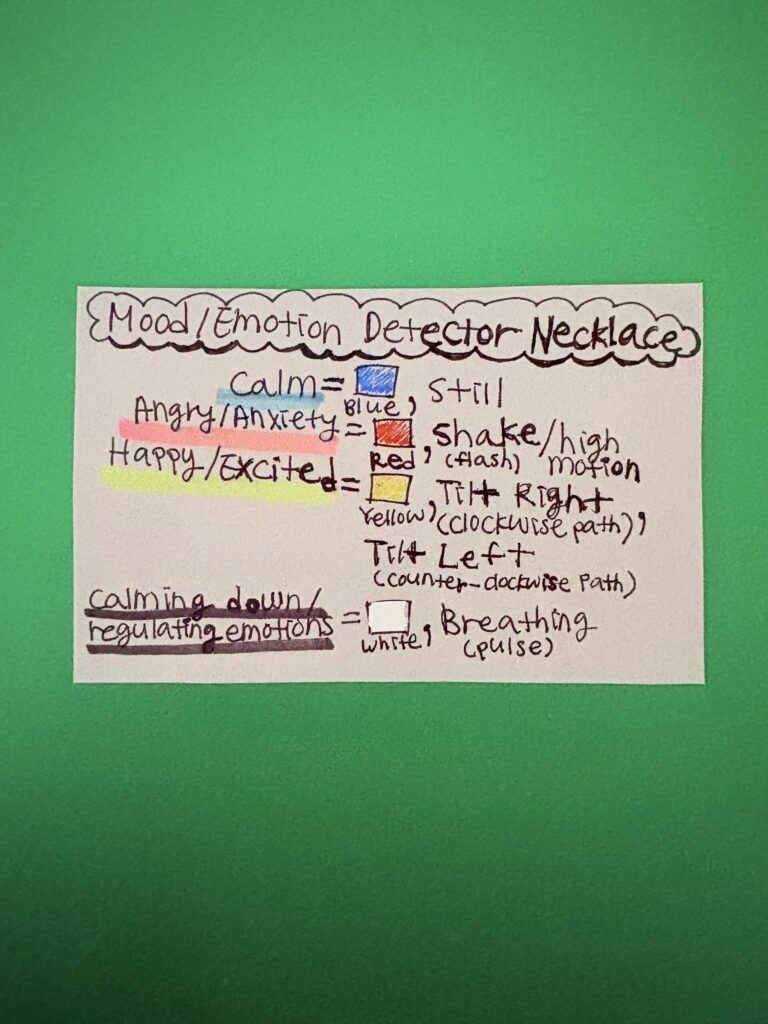
This project is interactive and explores how physical gestures and breath can be translated into emotional states using light. Different movements and breathing patterns trigger different emotional responses, allowing the user to perform and observe moods through visual feedback. Using the Circuit Playground’s built-in accelerometer, microphone, buttons, and NeoPixel LEDs, the device responds to the user’s motion and breath to represent different emotional states such as calmness, excitement/happiness, or anxiety/anger. For example, rapid movement or shaking the Circuit Playground for anxiety/anger will produce flashing red lights. On the other hand, stillness for calmness will create a cooler blue color/light. By tilting the board right, the lights will show yellow to represent excitement/happiness while following a circular path and lighting up to go around clockwise. When tilting the board left, the lights will go around counter-clockwise. In addition, when the user blows on the device, it activates a breathing mode where the light slowly pulses, symbolizing calming down or regulating emotion. By pressing the right button once on the Circuit Playground, you can skip forward through the emotions. Also, by pressing the left button once, you can go back through the emotions. The Circuit Playground also connects to a silver chain to be able to be worn as a necklace and includes coin cell batteries (with the holder) or a LiPo battery so that the piece is portable. The goal of this project is to explore how technology can translate physical movement and breath into an audiovisual (light-based) emotional experience that the user can both perform and observe.
Materials:
*Circuit Playground Express
*Micro USB cable/power
*Laptop with Arduino IDE
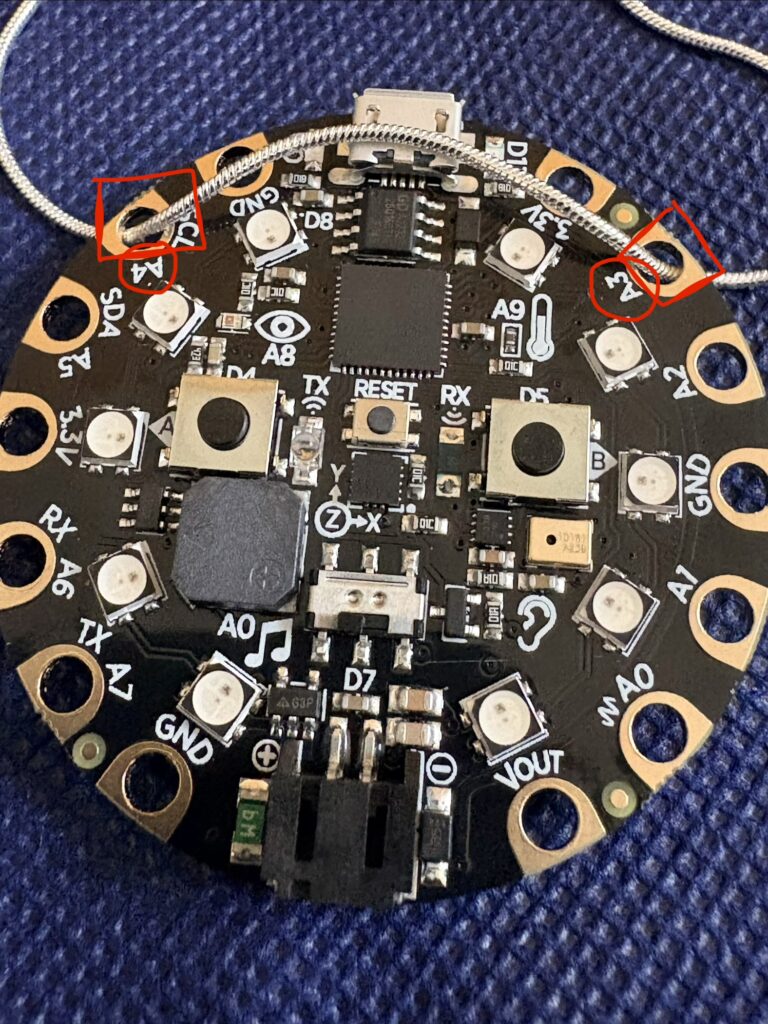
*Metal necklace chain (that fits through holes of Circuit Playground)
*2x Coin cell battery holder or LiPo Battery with MicroUSB Jack (3.7v 500mAh), both with JST connectors
*2 Coin cell batteries (for coin cell battery holder) or Adafruit Micro-Lipo Charger (for LiPo Battery)
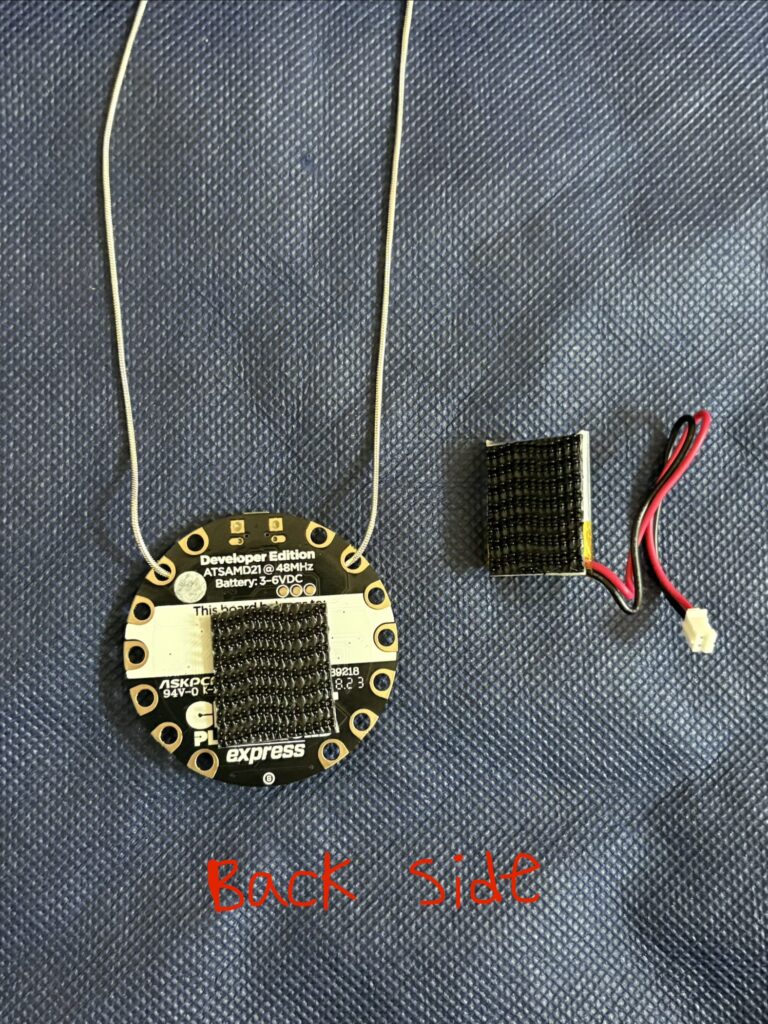
*Velcro stickers
Features:
*Accelerometer (movement detection)
*NeoPixel LED ring
*Microphone
*Buttons A & B
*Battery (can run without being connected to laptop/USB)
*Motion-based input system
*Color-coded emotions/gestures:
- Red = angry/anxious (shake)
- Blue = calm (still)
- White = calming down/breathing (blow)
- Yellow = happy/excitement (tilt)
*Wearable interactive design (necklace)
*Can easily assemble or disassemble
Audience:
*People with anxiety (can use it to fidget with)
*Students/Peers
*Family/Friends
*Everyday people that can use it for everyday/regular use and for their own interest
Resources:
Accelerometer:
*https://learn.adafruit.com/how-tall-is-it/hello-accelerometer
*https://learn.adafruit.com/make-it-shake-rattle-and-roll/uses-for-accelerometers
*https://learn.adafruit.com/make-it-shake-rattle-and-roll
*https://learn.adafruit.com/circuit-playground-lesson-number-0/accelerometer
Sound Sensor/Microphone:
*https://learn.adafruit.com/circuit-playground-lesson-number-0/sound-sensor
*https://learn.adafruit.com/make-it-sense/use-the-sound-sensor
NeoPixel:
*https://learn.adafruit.com/circuit-playground-bike-light/basic-neopixel-animation
*https://learn.adafruit.com/circuit-playground-lesson-number-0/neopixels
*https://learn.adafruit.com/circuit-playground-bike-light/the-flasher
*https://learn.adafruit.com/circuit-playground-bike-light/the-all-of-them
Projects/Works Examples:
*https://www.youtube.com/watch?v=hqGEoQycUnM
*https://vimeo.com/205586508
*https://learn.adafruit.com/sparkle-skirt/overview
Sketch:
#include <Adafruit_CircuitPlayground.h>

int pixelPos = 0;
int emotionMode = 0;
int totalModes = 5;

bool manualMode = false;

void setup() {
  // put your setup code here, to run once:
  CircuitPlayground.begin();
  CircuitPlayground.setBrightness(20); // 10–30 is best for coin cells
}

void loop() {
  // put your main code here, to run repeatedly:
// Read motion only (no sound anymore)
  float x = CircuitPlayground.motionX();
  float y = CircuitPlayground.motionY();
  float z = CircuitPlayground.motionZ();

  int soundLevel = CircuitPlayground.mic.soundPressureLevel(10);

  // -------- BUTTON CONTROLS --------

  // Button B → next emotion
  if(CircuitPlayground.rightButton()){
    manualMode = true;
    emotionMode++;

    if(emotionMode >= totalModes){
      emotionMode = 0;
    }

    delay(350);
  }

  // Button A → previous emotion
  if(CircuitPlayground.leftButton()){
    manualMode = true;
    emotionMode--;

    if(emotionMode < 0){
      emotionMode = totalModes - 1;
    }

    delay(350);
  }

  // -------- SENSOR DETECTION --------

float motion = abs(x) + abs(y) + abs(z);

// 1. SHAKE = highest priority
if(motion > 30){
  emotionMode = 1;
}

// 2. BREATH = medium priority (more forgiving now)
else if(soundLevel > 65 && motion < 20){
  emotionMode = 4;
}

// 3. TILT
else if(x > 5){
  emotionMode = 2;
}
else if(x < -5){
  emotionMode = 3;
}

// 4. CALM
else{
  emotionMode = 0;
}

  // -------- RUN CURRENT EMOTION --------

  switch(emotionMode){

    case 0:
      calmEffect();
      break;

    case 1:
      angryEffect();
      break;

    case 2:
      circleClockwise();
      break;

    case 3:
      circleCounter();
      break;

    case 4:
      breathingEffect();
      break;
  }
}

// -------- EFFECT FUNCTIONS --------

// Calm blue (dimmed)
void calmEffect(){
  setAllPixels(0, 0, 80);
  delay(300); // slower = less power spikes
}

// Angry red blink (dimmed)
void angryEffect(){
  setAllPixels(80, 0, 0);
  delay(120);

  setAllPixels(0, 0, 0);
  delay(120);
}

// Breathing effect (MUCH more efficient)
void breathingEffect(){

  for(int b = 0; b <= 120; b += 8){   // lower max brightness
    setAllPixels(b/4, b/4, b/4);
    delay(30);
  }

  for(int b = 120; b >= 0; b -= 8){
    setAllPixels(b/4, b/4, b/4);
    delay(30);
  }
}

void circleClockwise(){

  CircuitPlayground.clearPixels();
  CircuitPlayground.setPixelColor(pixelPos, 80, 80, 0);

  pixelPos++;
  if(pixelPos > 9){
    pixelPos = 0;
  }

  delay(150); // slower = less drain
}

void circleCounter(){

  CircuitPlayground.clearPixels();
  CircuitPlayground.setPixelColor(pixelPos, 80, 80, 0);

  pixelPos--;
  if(pixelPos < 0){
    pixelPos = 9;
  }

  delay(150);
}

// Set all onboard LEDs
void setAllPixels(uint8_t r, uint8_t g, uint8_t b){
  for(int i = 0; i < 10; i++){
    CircuitPlayground.setPixelColor(i, r, g, b);
  }
}
Pictures:

Video:
Mood/Emotion Simon Says Game Wristband
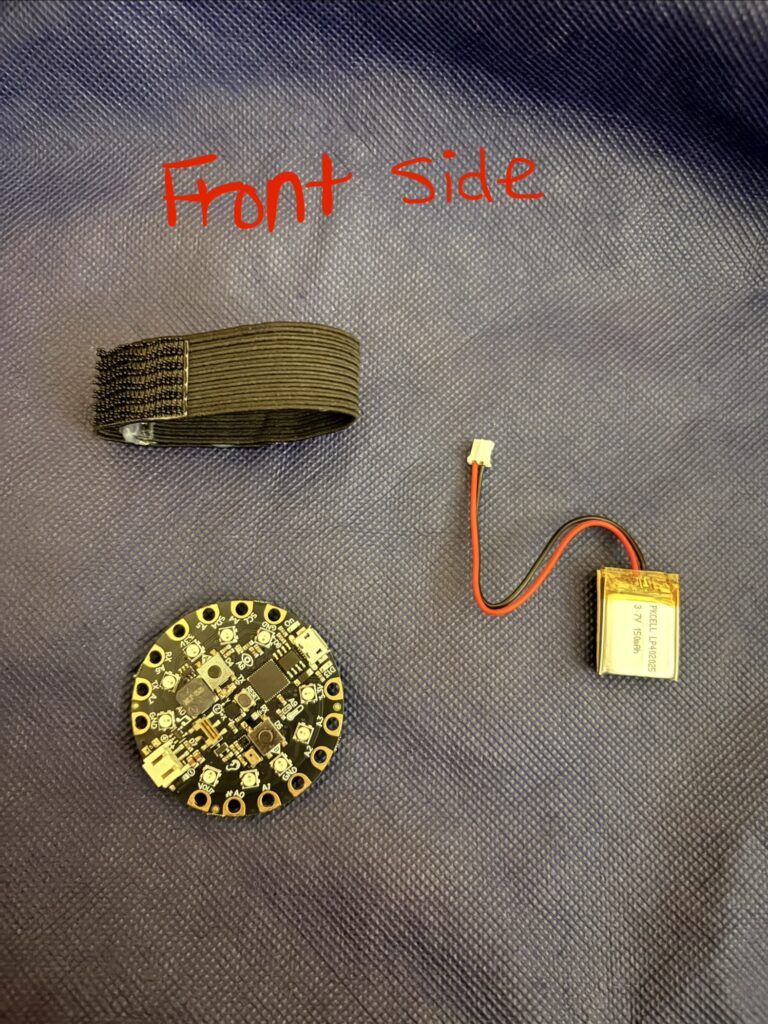
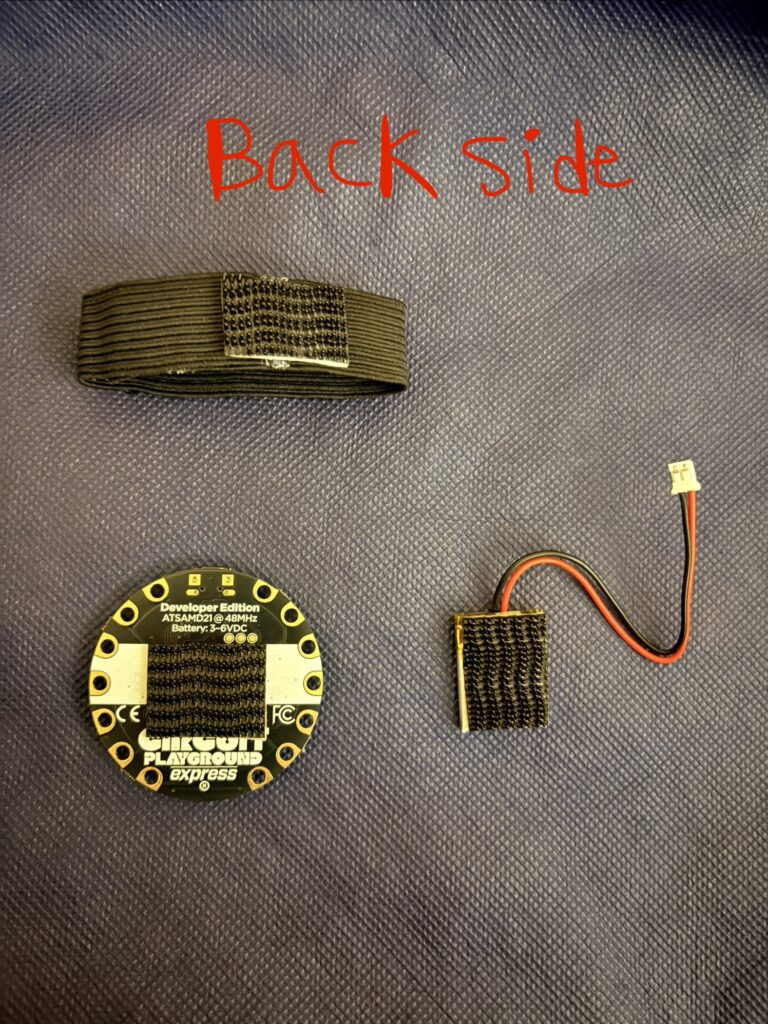
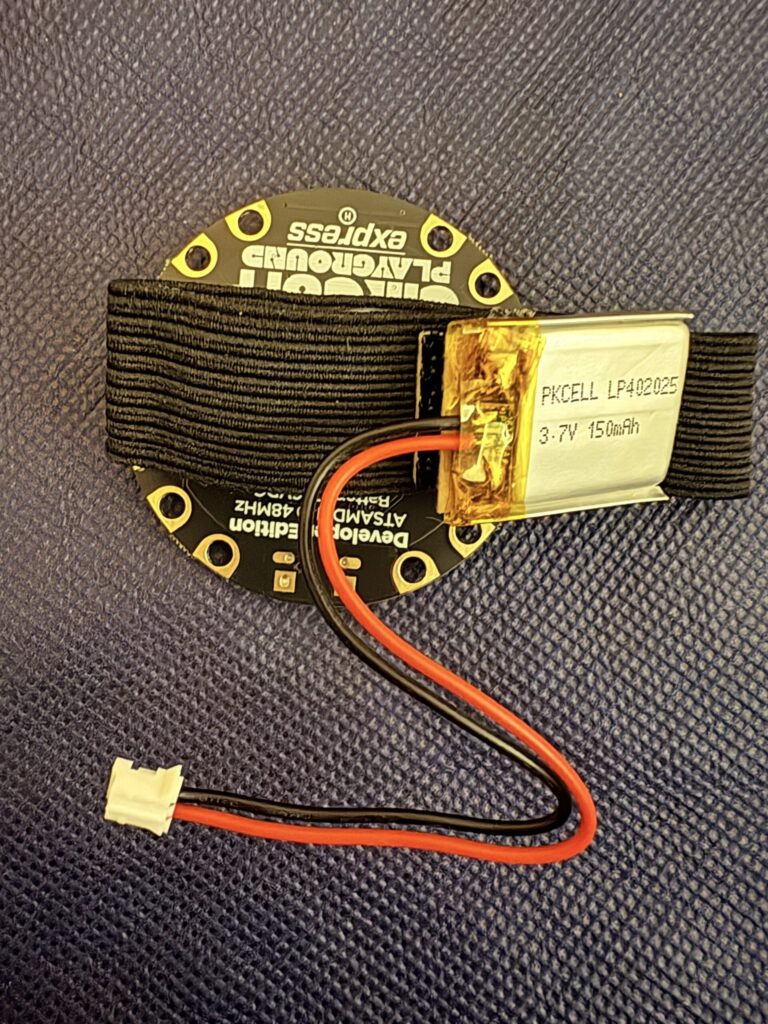
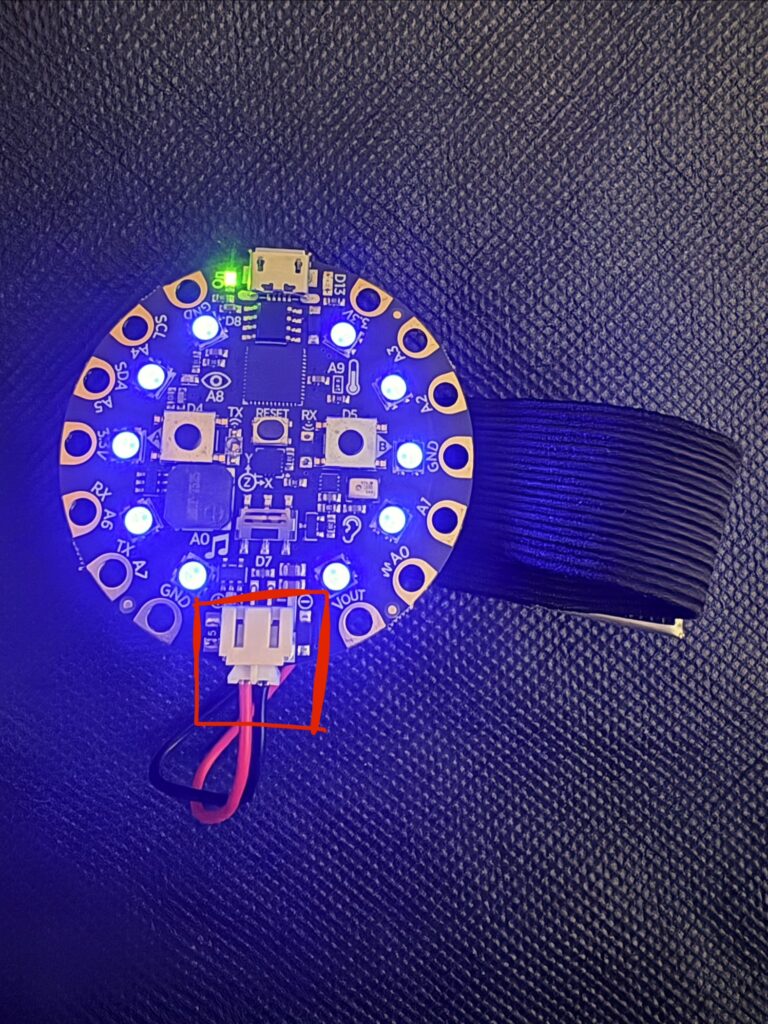
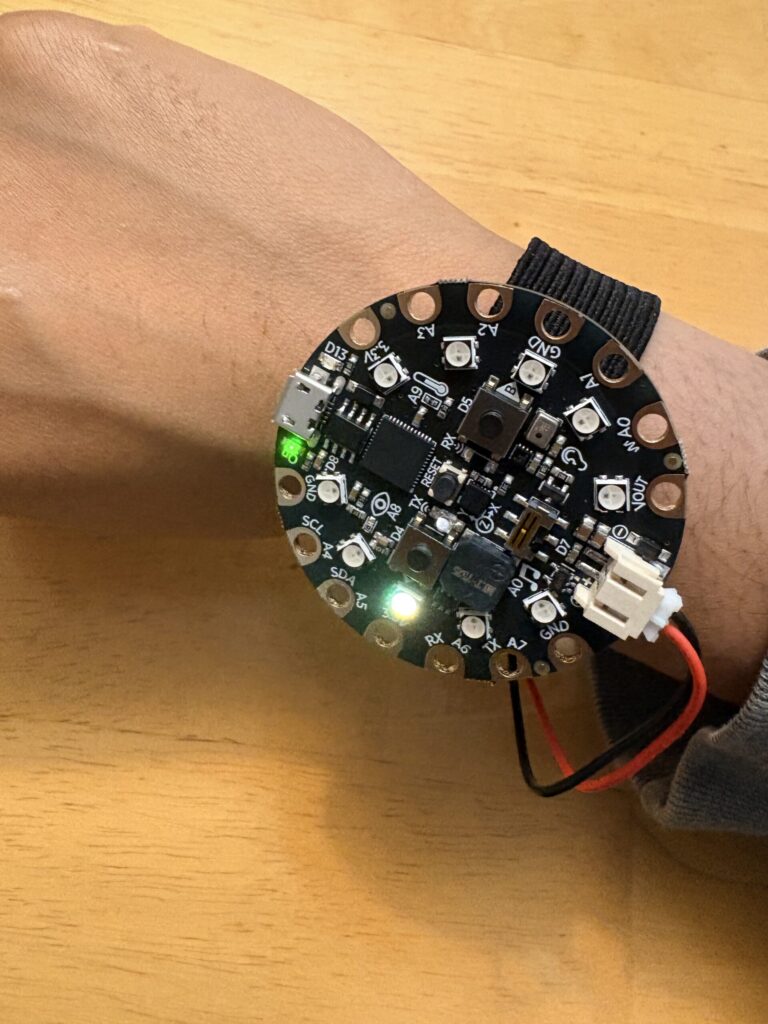
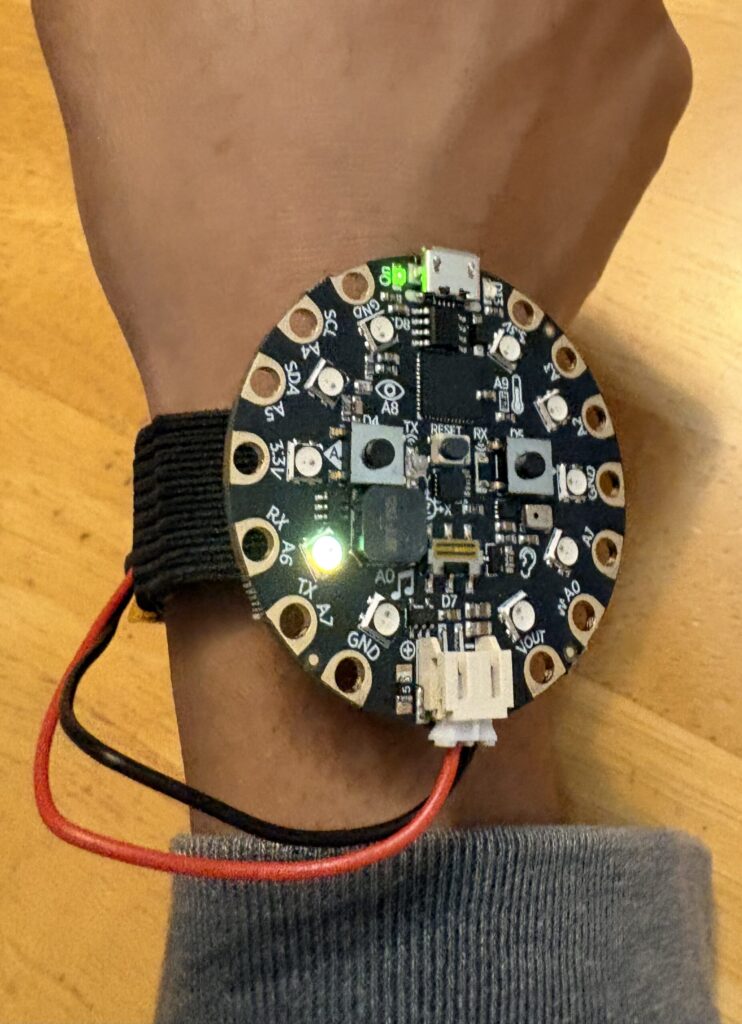
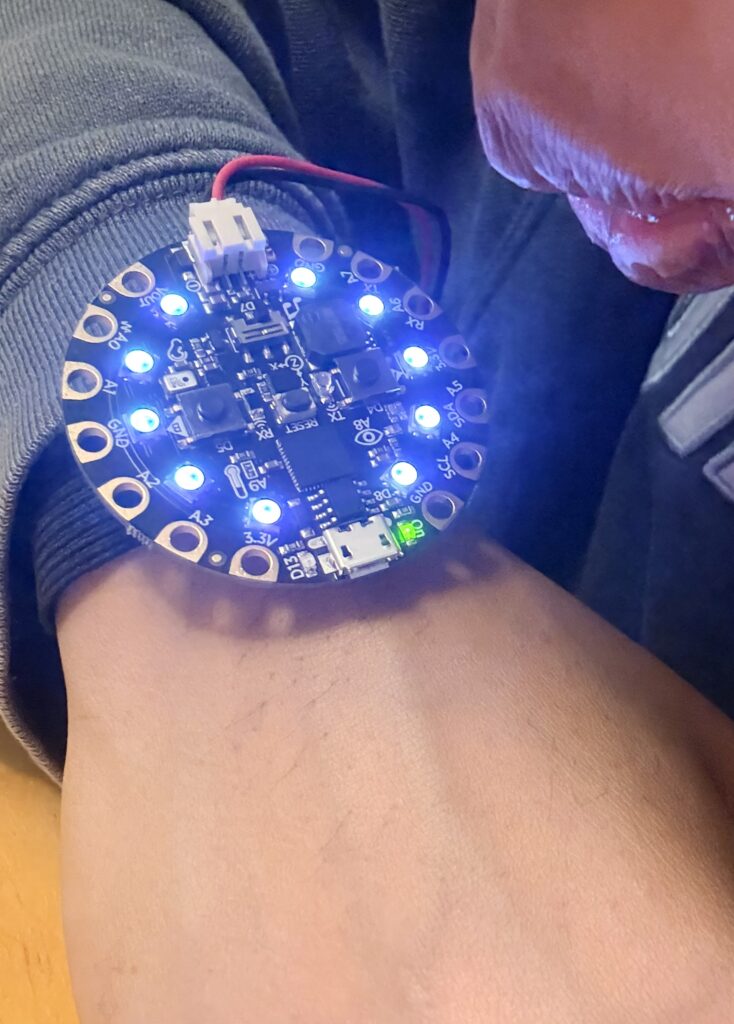
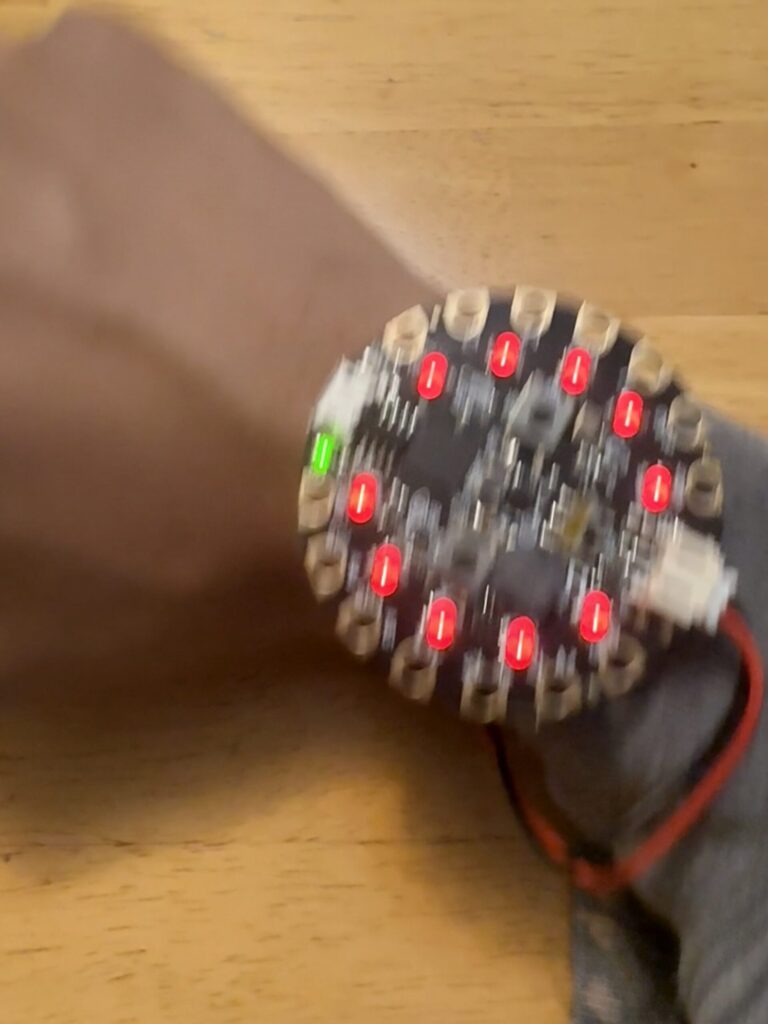
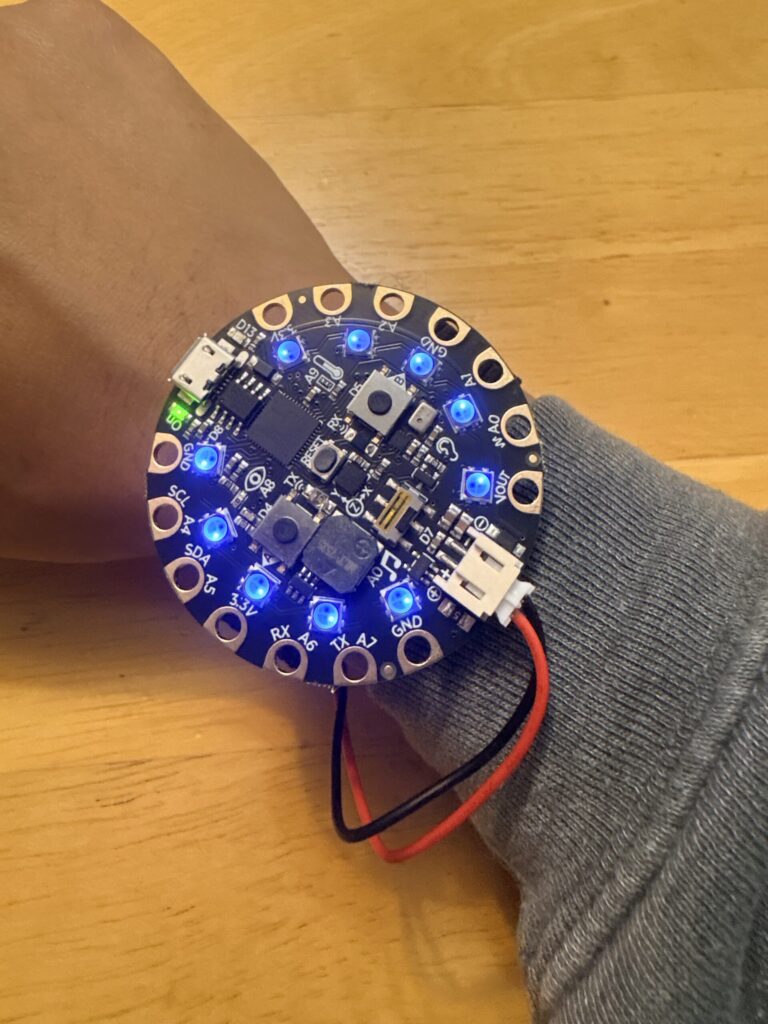
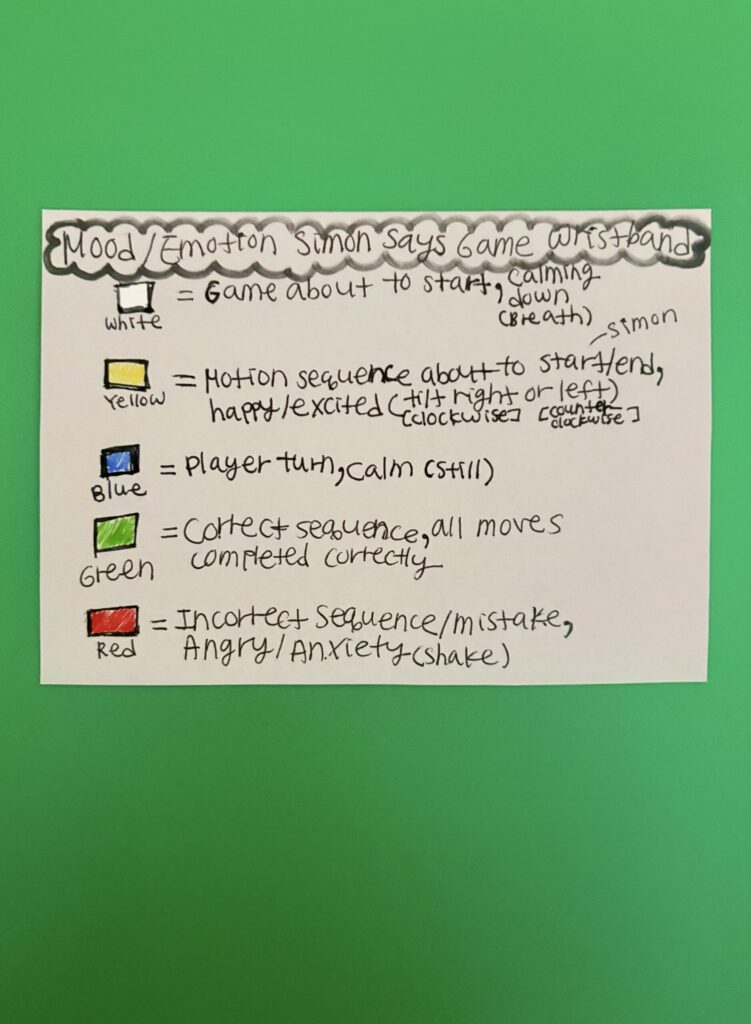
This project is an interactive, motion-based reimagining of the classic Simon Says memory game using a Circuit Playground Express. Players interact physically through gestures such as shaking, tilting, and blowing into the device’s microphone. Each motion is mapped to a distinct in-game action, transforming the game into an embodied experience that blends memory, movement, and sensory feedback. The Circuit Playground uses its built-in accelerometer, microphone, speaker, and NeoPixel LED ring to create a responsive and immersive gameplay system. The device generates a randomized sequence of movements (shake, tilt left, tilt right, blow), which the player must then repeat in the correct order. Each gesture is represented by a unique visual and audio effect to reinforce memory and provide immediate feedback. For example, shaking the device triggers a red “angry” flash, tilting right produces a clockwise yellow LED motion, tilting left produces a counter-clockwise motion, and blowing into the microphone activates a soft pulsing “breathing” animation. At the start of each round, the device displays a white flash cue to signal the beginning of the game. The system then flashes yellow, plays the sequence, and flashes yellow again to show that it was “Simon’s” turn. After the sequence is shown, a solid blue LED state indicates that it’s the player’s turn. The player must then replicate the sequence using the same physical motions. If the player successfully completes the sequence, the game provides a green fading animation as positive feedback and increases the sequence length for the next round, making the challenge harder through memory. If the player makes an incorrect input, the game ends with a red fading animation indicating failure, followed by a final score display showing how many rounds were completed. This creates a clear and satisfying feedback loop between success, progression, and failure. The Circuit Playground can also connect to an elastic wristband so that players can wear the game while they’re playing it. The system is battery-powered using a coin cell battery holder or a LiPo battery as well, making it portable. The goal of this project is to explore how physical motion, memory, and sensor-based interaction can transform a classic digital memory game into an immersive wearable experience. By turning gestures into gameplay mechanics, the project investigates how the body itself can become the controller in interactive systems.
Materials:
*Circuit Playground Express
*Micro USB cable/power
*Laptop with Arduino IDE
*Velcro stickers
*Elastic wristband
*2x Coin cell battery holder or LiPo Battery with MicroUSB Jack (3.7v 500mAh), both with JST connectors
*2 Coin cell batteries (for coin cell battery holder) or Adafruit Micro-Lipo Charger (for LiPo Battery)
Features:
*Accelerometer (shake + tilt gesture input)
*Microphone (blow/breath detection input)
*NeoPixel LED ring (visual feedback + animations)
*Speaker/buzzer (tone feedback for actions and game states)
*Motion-based input system
*Sequential memory gameplay (Simon Says mechanics)
*Color-coded feedback system:
- White = game start
- Yellow = sequence playback (Simon)
- Blue = player turn
- Green = correct
- Red = incorrect
*Color-coded emotional actions/gestures:
- Red = angry/anxious (shake)
- Blue = calm (still)
- White = calming down/breathing (blow)
- Yellow = happy/excitement (tilt)
*Wearable interactive design (wrist-mounted gameplay)
*Fully portable, battery-powered system
*Can easily assemble or disassemble
Audience:
*People with anxiety (can use it to fidget with)
*Students/Peers
*Family/Friends
*Everyday people that can use it for everyday/regular use and for their own interest
Resources:
Projects/Works Examples:
*https://learn.adafruit.com/circuit-playground-music/simon-says-game
*https://learn.adafruit.com/circuit-playground-simple-simon/overview
*https://learn.adafruit.com/circuit-playground-simple-simon/code-walk-through
Sketch:
#include <Adafruit_CircuitPlayground.h>

#define MAX_SEQUENCE 20
#define LED_COUNT 10

int sequence[MAX_SEQUENCE];
int sequenceLength = 1;
int playerIndex = 0;

bool showingSequence = false;
bool gameOver = false;
bool isPlayerTurn = false;

bool gameStarted = false;
bool showingFeedback = false;

int sequenceDelay = 250; // GAME SPEED (UNCHANGED)

// -------------------- SETUP --------------------
void setup() {
  CircuitPlayground.begin();
  CircuitPlayground.setBrightness(12); // coin-cell safe
  randomSeed(analogRead(0));

  sequence[0] = random(1,5);
}

// -------------------- LOOP --------------------
void loop() {

  // GAME START
  if(!gameStarted){
    cueGameStart();
    gameStarted = true;
    showingSequence = true;
  }

  if(gameOver){
    cueIncorrect();
    showFinalScore();
    return;
  }

  if(showingSequence){
    isPlayerTurn = false;

    cueSequenceFlash();   // BEFORE sequence
    playSequence();

    delay(120);           // 🟡 breathing gap (NEW)

    cueSequenceFlash();   // AFTER sequence

    isPlayerTurn = true;
    showingSequence = false;
    playerIndex = 0;
  }
  else {
    showPlayerTurnCue();
    displayScore();
    checkPlayerInput();

    if(playerIndex >= sequenceLength){
      cueCorrect();
      delay(150);

      sequence[sequenceLength] = random(1,5);
      sequenceLength++;
      showingSequence = true;
      playerIndex = 0;
    }
  }
}

// -------------------- CUES --------------------

void cueGameStart(){
  fadeAllPixels(40,40,40,250);
  fadeAllPixels(0,0,0,150);
}

void cueSequenceFlash(){
  // 🟡 LONGER + CLEARER SIMON SIGNAL
  fadeAllPixels(40,40,0,180);   // yellow on
  delay(120);                  // hold (NEW clarity)
  fadeAllPixels(0,0,0,100);     // off
  delay(80);                   // small pause
}

void cueCorrect(){
  showingFeedback = true;
  fadeAllPixels(0,60,0,300);
  fadeAllPixels(0,0,0,120);
  showingFeedback = false;
}

void cueIncorrect(){
  showingFeedback = true;
  fadeAllPixels(60,0,0,300);
  fadeAllPixels(0,0,0,120);
  showingFeedback = false;
}

// -------------------- SEQUENCE --------------------

void playSequence(){
  for(int i=0;i<sequenceLength;i++){
    runMove(sequence[i]);

    fadeAllPixels(0,0,0,40);
    delay(10);
  }
}

// -------------------- PLAYER --------------------

void showPlayerTurnCue(){
  for(int i=0;i<LED_COUNT;i++){
    CircuitPlayground.setPixelColor(i,0,0,25); // low blue (battery safe)
  }
}

void checkPlayerInput(){
  int input = getInput();
  if(input == -1) return;

  runMove(input);

  if(input == sequence[playerIndex]){
    playerIndex++;
  } else {
    gameOver = true;
  }
}

// -------------------- INPUT --------------------

int getInput(){
  float x = CircuitPlayground.motionX();
  float y = CircuitPlayground.motionY();
  float z = CircuitPlayground.motionZ();
  int soundLevel = CircuitPlayground.mic.soundPressureLevel(10);

  if(soundLevel > 72){ delay(250); return 4; }

  if(abs(x)+abs(y)+abs(z) > 18){
    static unsigned long lastShake = 0;
    unsigned long now = millis();
    if(now - lastShake > 250){
      lastShake = now;
      return 1;
    }
  }

  if(x > 5){ delay(200); return 2; }
  if(x < -5){ delay(200); return 3; }

  return -1;
}

// -------------------- MOVES --------------------

void runMove(int move){
  switch(move){
    case 1: angryEffect(); break;
    case 2: circleClockwise(); break;
    case 3: circleCounter(); break;
    case 4: breathingEffect(); break;
  }
}

// -------------------- EFFECTS --------------------

void angryEffect(){
  fadeAllPixels(60,0,0,120);
  CircuitPlayground.playTone(800,40);
  fadeAllPixels(0,0,0,60);
}

void breathingEffect(){
  for(int b=0;b<=180;b+=20){
    setAllPixels(b/3,b/3,b/3);
    delay(6);
  }

  CircuitPlayground.playTone(700,40);

  for(int b=180;b>=0;b-=20){
    setAllPixels(b/3,b/3,b/3);
    delay(6);
  }
}

void circleClockwise(){
  for(int i=0;i<10;i++){
    CircuitPlayground.clearPixels();
    CircuitPlayground.setPixelColor(i,60,60,0);
    delay(sequenceDelay/3);
  }
}

void circleCounter(){
  for(int i=9;i>=0;i--){
    CircuitPlayground.clearPixels();
    CircuitPlayground.setPixelColor(i,60,60,0);
    delay(sequenceDelay/3);
  }
}

// -------------------- SCORE --------------------

void displayScore(){
  if(showingFeedback) return;

  CircuitPlayground.clearPixels();

  if(isPlayerTurn){
    setAllPixels(0,0,25);
  } else {
    setAllPixels(25,0,0);
  }

  int ledsToLight = map(playerIndex,0,sequenceLength,0,LED_COUNT);

  for(int i=0;i<ledsToLight;i++){
    CircuitPlayground.setPixelColor(i,0,120,0);
  }
}

// -------------------- FINAL --------------------

void showFinalScore(){
  CircuitPlayground.clearPixels();

  int roundsCompleted = sequenceLength-1;
  int ledsToLight = map(roundsCompleted,0,MAX_SEQUENCE,0,LED_COUNT);

  for(int i=0;i<ledsToLight;i++){
    CircuitPlayground.setPixelColor(i,0,120,0);
  }

  CircuitPlayground.playTone(900,120);
  delay(800);

  for(int i=0;i<3;i++){
    setAllPixels(0,80,0);
    delay(150);
    CircuitPlayground.clearPixels();
    delay(150);
  }

  sequenceLength = 1;
  sequence[0] = random(1,5);
  playerIndex = 0;
  showingSequence = true;
  gameOver = false;
}

// -------------------- UTILS --------------------

void setAllPixels(uint8_t r,uint8_t g,uint8_t b){
  for(int i=0;i<LED_COUNT;i++){
    CircuitPlayground.setPixelColor(i,r,g,b);
  }
}

void fadeAllPixels(uint8_t r,uint8_t g,uint8_t b,int fadeTime){
  CircuitPlayground.clearPixels();

  int steps = 8;

  for(int s=0;s<=steps;s++){
    float f = (float)s/steps;

    for(int i=0;i<LED_COUNT;i++){
      CircuitPlayground.setPixelColor(
        i,
        (uint8_t)(r*f),
        (uint8_t)(g*f),
        (uint8_t)(b*f)
      );
    }

    delay(fadeTime/steps);
  }
}
Pictures:

Video: